JioMart
– When discovery feels personal, trust follows & decisions become
clear.
After enhancing JioMart's checkout and post-order experience, we
focused on improving product discovery and user engagement across
key pages, from homepage to product detail page. JioMart’s
consumers seek a seamless, engaging experience that simplifies
decision-making and boosts satisfaction.
The goal was to refine content structure, navigation, and widget
interaction, transforming the browsing journey to drive informed
decisions, satisfaction, and conversions.
What We’re Diving Into
As part of the DS 2.0 redesign, we focused on enhancing product
discovery, engagement, and decision-making across key touch
points:
Homepage
The first impression, where users decide whether to stay or leave.
Product Listing
Page
Where discovery happens, filters, sorting, and UGC play a huge
role in shaping choices.
Product Detail
Page
Final stop before purchase, users check all secondary details like
size, color, fabric, ratings and policies
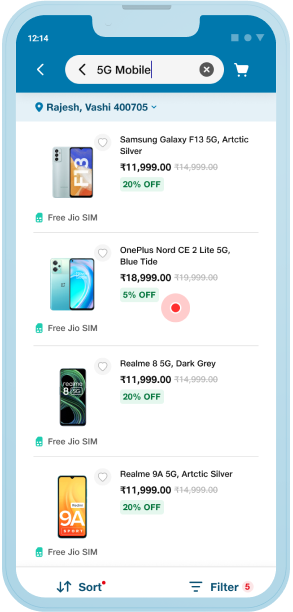
5G Campaign
Integration
Introducing 5G for the first time in ecommerce
JM-WhatsApp
Integration
Shop and book groceries directly on WhatsApp, without opening the
JioMart app. Coming Soon
Coming Soon
Uraban Ladder
Integration
Bringing furniture shopping into the mix with Urban Ladder’s
seamless integration.
Coming Soon
While there's more to explore, we'll focus on these core elements
for now
JioMart users struggle with discovering products and
engaging with the platform due to inconsistent navigation,
unclear product prioritization, and limited interactive
elements. This friction leads to high bounce rates, lower
conversions, and missed engagement opportunities.
We set out to redesign JioMart's homepage, PLP and PDP to
transform the overall product discovery and engagement
experience. Our challenge was to create a design system
that was:
Versatile: Seamlessly integrated across
various applications within the Jio ecosystem.
Consistent: Maintained a unified visual
language for a cohesive user experience.
Usable: Delivered clear information and
facilitated user interaction to drive desired actions.
Attention-grabbing: Captured user
attention and compelled deeper engagement with the
product.
From Insight to Impact - Our Design Journey
As part of the DS 2.0 redesign, we focused on enhancing product
discovery, engagement, and decision-making across key touch points
Understanding: Initial Exploration
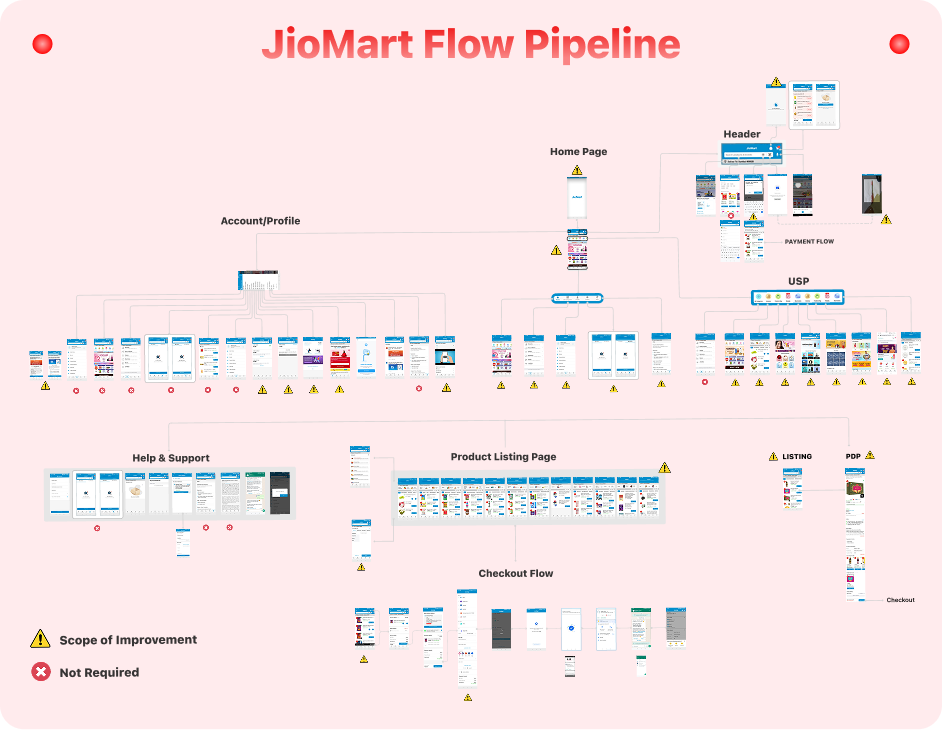
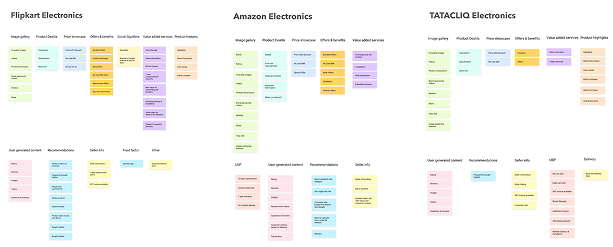
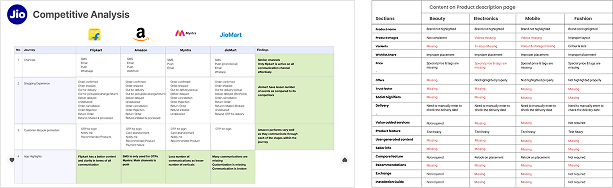
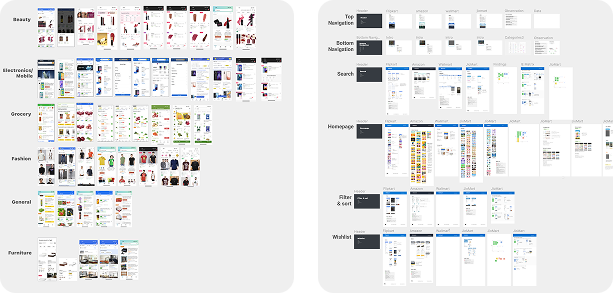
Identifying Key Gaps in the User Journey
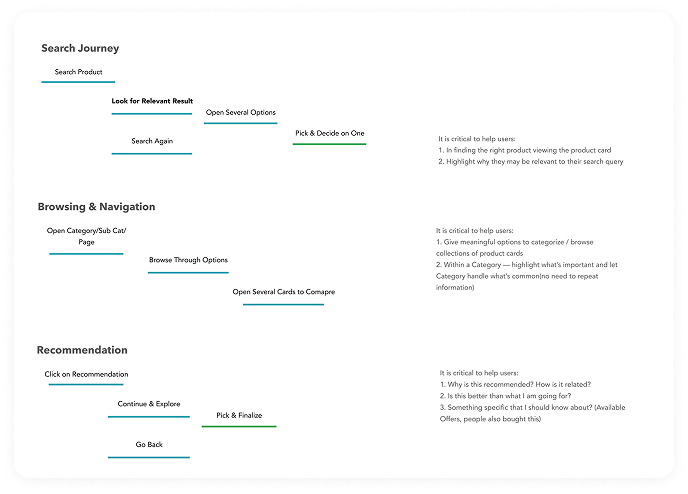
We began by identifying flow issues preventing users from reaching
their goals, focusing on gaps in showcasing USPs, building trust,
and addressing inconsistencies across mobile and desktop. This led
to outlining key improvements to enhance overall user experience.
Key Findings & Insights
Uncovering User Pain Points Across Key Pages
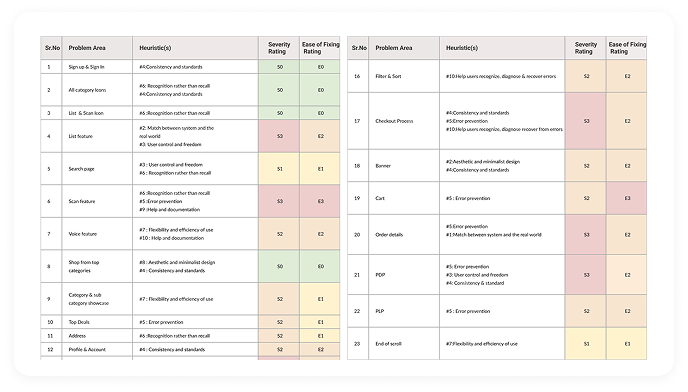
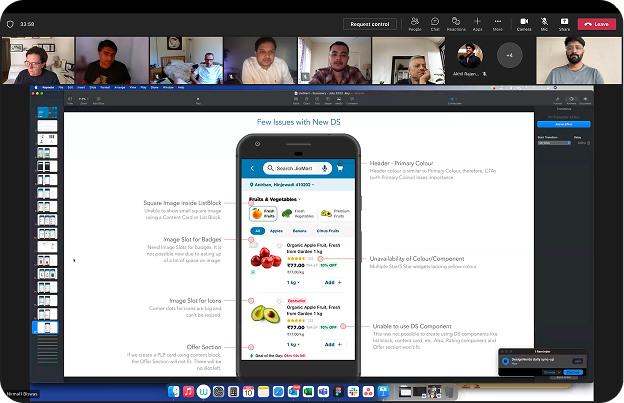
Through a deep dive into the current user journey, we identified
critical usability issues and areas for improvement on JioMart's
homepage, PLP, PDP and others. These insights help us priorities
the changes needed to enhance user engagement, streamline
navigation and ultimately drive higher conversions.
Evaluate Broker UX @HP
User Attention Span: Decreases on
downward spiral.
Lack of Consistency: Causes
confusion.
Choice Overload: Leads to analysis
paralysis, hindering quick decisions.
Complexity & Jargon: Increases
cognitive load.
Broken Visual XP: Damages trust and
branding.
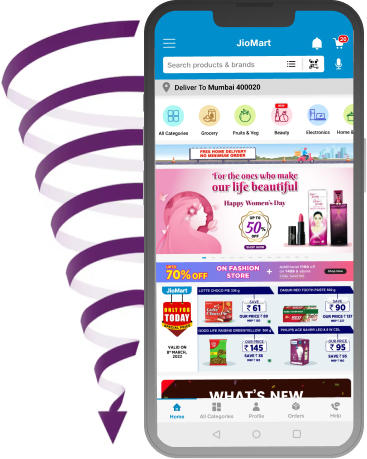
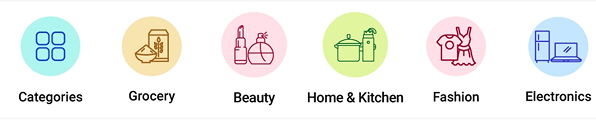
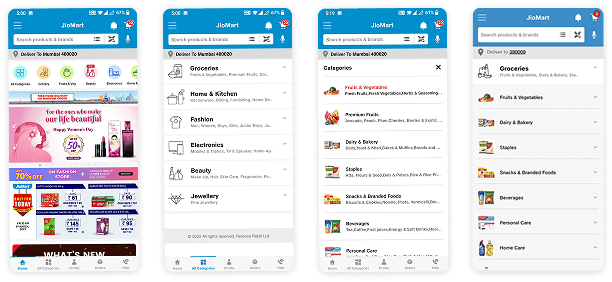
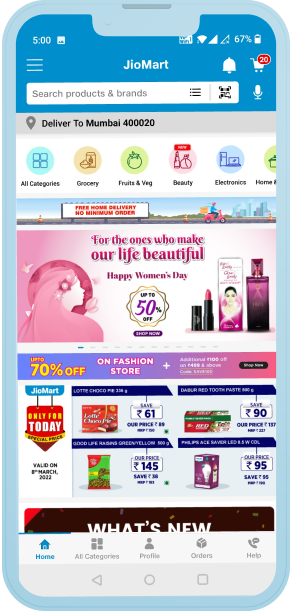
Category Icons
Problem: Inconsistent and
non-intuitive category icons and colors.
Psychological Insight: Users rely
on visual cues for quick recognition. When icons and
colors are inconsistent, it disrupts their cognitive
process, making navigation harder and causing
frustration.
Recommendation: Standardize icons
and colors to improve clarity and consistency,
reducing cognitive load and making navigation
easier.
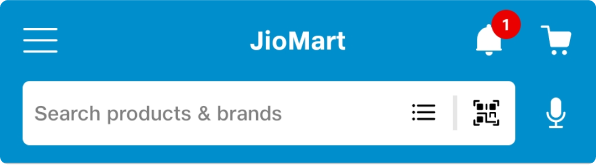
List & Scan Icons
Problem: The “List” and “Scan”
icons are hard to associate with their real-world
purpose for non-tech-savvy users.
Psychological Insight: Users expect
icons to clearly represent their function. If the
connection isn’t immediate, it creates confusion and
impacts usability.
Recommendation: Simplify and label
icons clearly, using intuitive visuals that align
with user expectations.
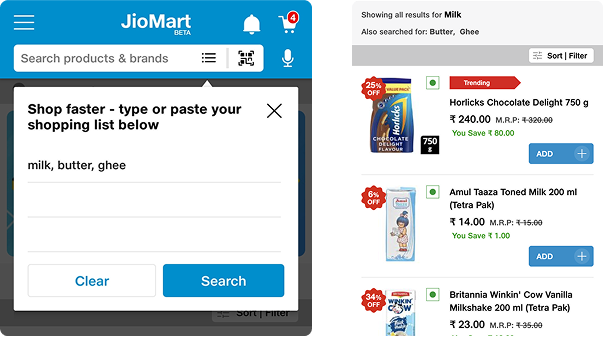
List Feature
Problem: Redundant functionality in
the "Shop Faster" and list features.
Psychological Insight: Users seek
control and freedom. Limiting their ability to
add/remove items from their list frustrates them and
makes the feature feel less useful.
Recommendation: Allow users to
easily manage their list, improving flexibility and
freedom within the shopping experience.
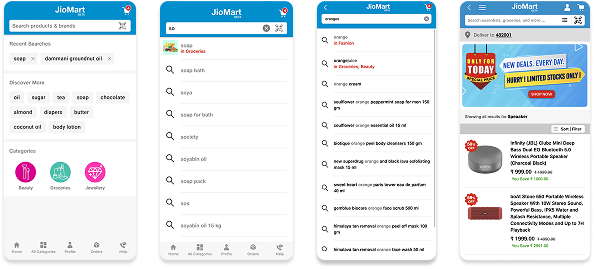
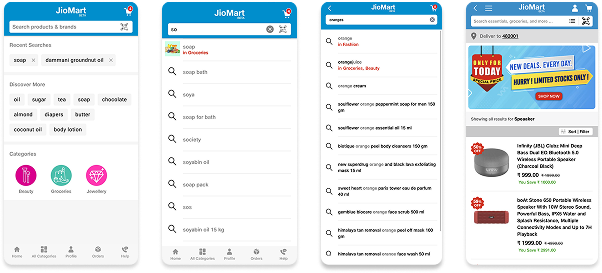
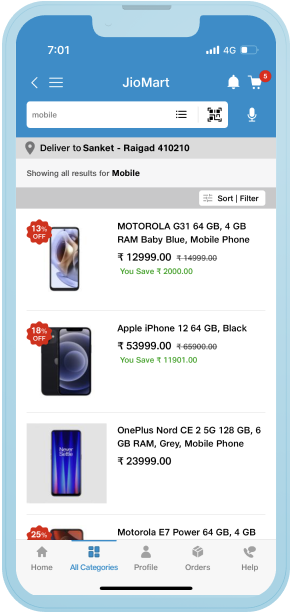
Search Page
Problem: Incorrect categorization
of products and lack of relevant suggestions.
Psychological Insight: Users need
immediate results that match their input. When they
encounter irrelevant suggestions, it leads to
frustration and cognitive overload.
Recommendation: Improve search
results with accurate category mapping and relevant
suggestions, reducing confusion.
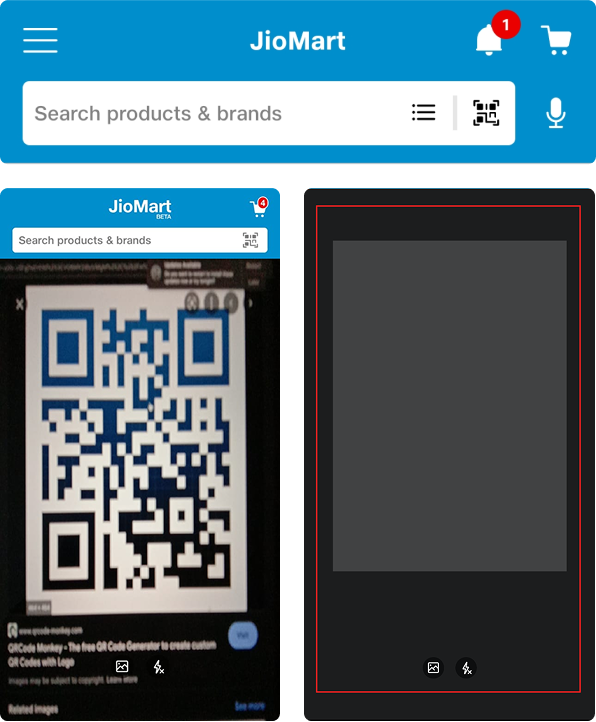
Scan Feature
Problem: QR code and image search
options are not functional, leading to a blank
screen.
Psychological Insight: When a
feature doesn’t work as expected, users quickly lose
trust in the platform, leading to disengagement.
Recommendation: Replace the QR code
with a functional image search feature, enhancing
usability and reducing errors.
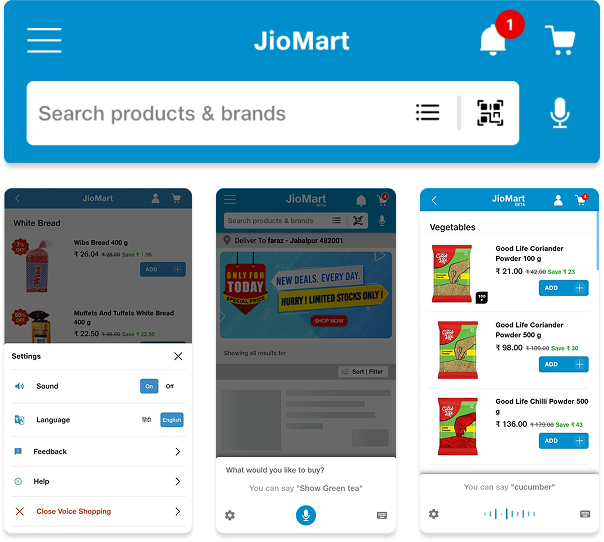
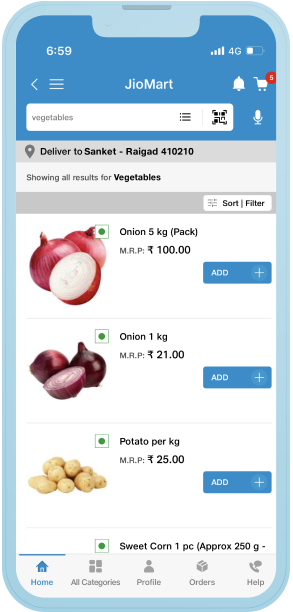
Voice Search
Problem: Inaccurate voice input for
fresh vegetables and no categorization for related
products.
Psychological Insight: Users expect
voice search to be accurate and efficient. When it
fails, it increases frustration and diminishes user
trust.
Recommendation: Improve voice
search accuracy, especially for specific product
categories, and categorize results for better user
guidance.
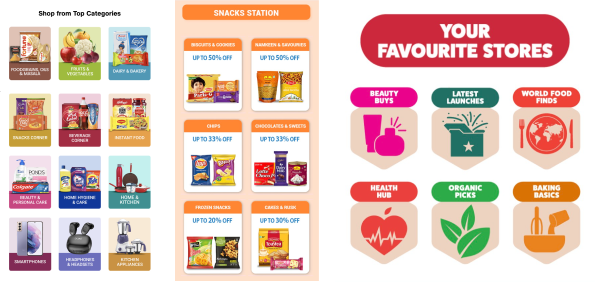
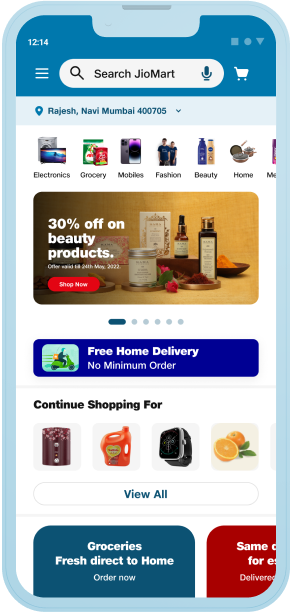
Shop from Top Categories
Problem: Lack of visual appeal and
inconsistent categorization.
Psychological Insight: Users are
drawn to visually appealing, consistent categories.
When this is absent, they are less likely to engage.
Recommendation: Create a visually
clean, consistent layout for top categories,
boosting user interest and engagement.
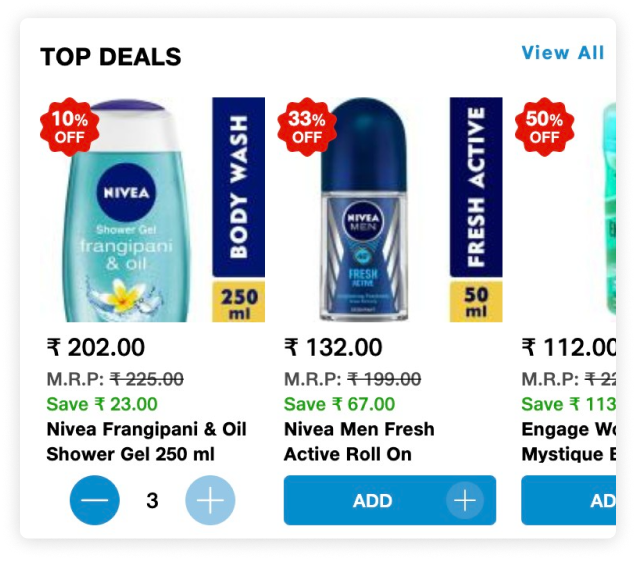
Top Deals
Problem: No notifications when
users can’t add an item to the cart in the desired
quantity.
Psychological Insight: Users expect
real-time feedback during interactions. Lack of
notifications leads to confusion and frustration.
Recommendation: Provide clear,
real-time feedback when a user reaches a product
quantity limit, enhancing transparency and trust.
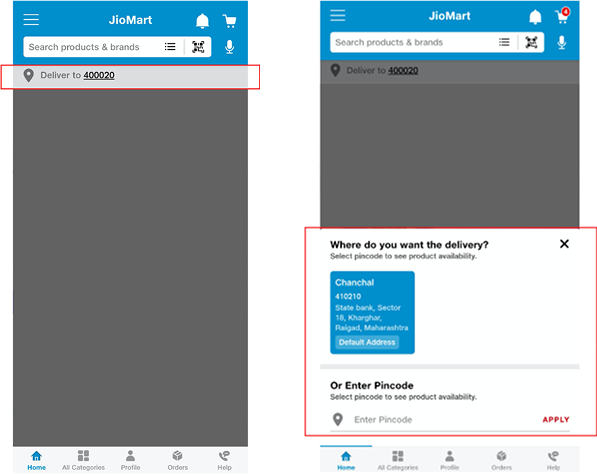
Address Input
Problem: No automatic location
detection via GPS.
Psychological Insight: Users expect
convenience, and manually entering a pin code is a
friction point in the experience.
Recommendation: Implement automatic
location detection via GPS for a smoother and more
intuitive experience.
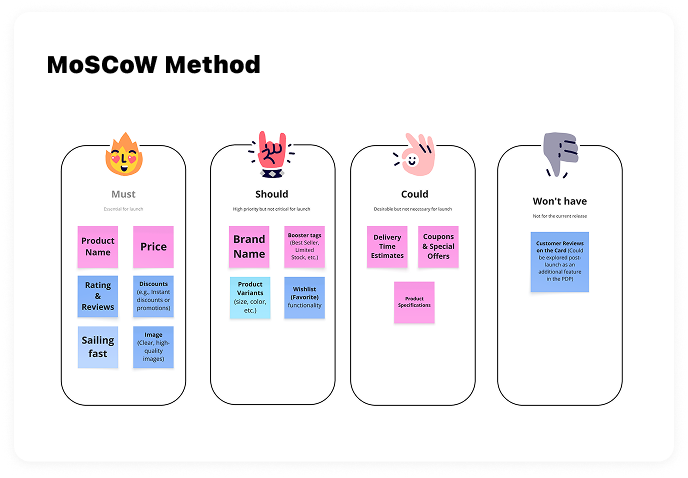
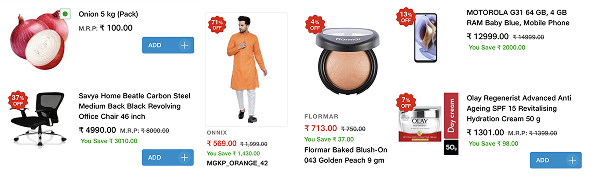
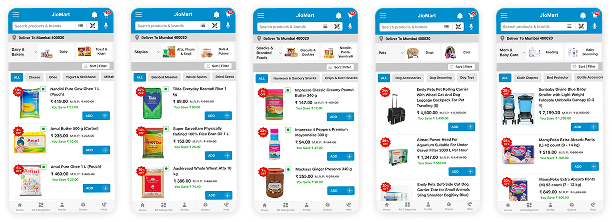
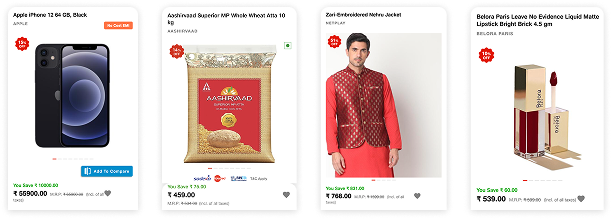
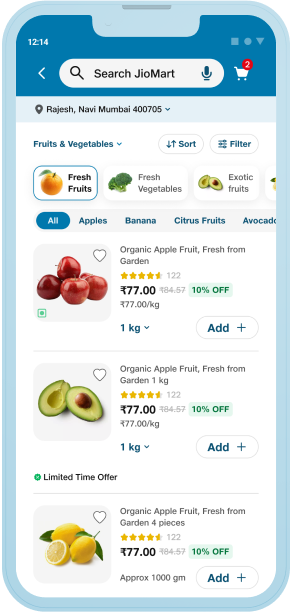
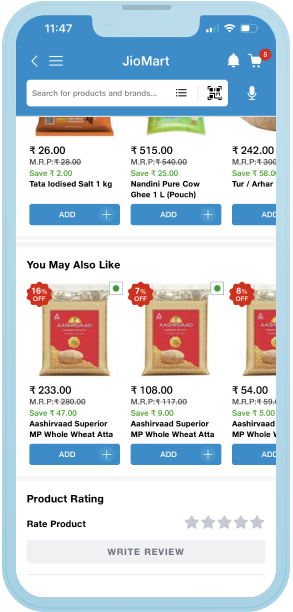
Product Cards
Problem: Inconsistent card layouts,
unclear hierarchy of information, and missing
elements like ratings, reviews, and wishlist.
Psychological Insight: Users rely
on quick visual scanning to compare products. Lack
of consistency or clarity slows decisions and
creates friction.
Recommendation: Standardize card
layout across categories. Prioritize key info—image,
name, price, discount, rating, and wishlist—for
faster scanning and better decision-making.
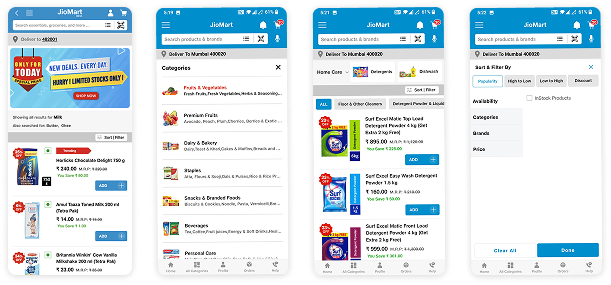
Filters & Sorting
Problem: Filters were buried, hard
to modify, and lacked visibility of applied filters.
Sorting options were limited and not intuitive.
Psychological Insight: Users want
control and quick ways to narrow down choices.
Confusing filters increase cognitive load and
bounce.
Recommendation: Introduce a clean,
collapsible filter panel with prominent applied
filters. Expand sorting options (e.g., popularity,
discount, delivery time) and make selection state
visible.
Search + Result Matching
Problem: Search results often
showed unrelated or irrelevant products. Spelling
errors led to poor or no suggestions.
Psychological Insight: When users
search, they expect accuracy. Irrelevant results
erode trust and lead to early exits.
Recommendation: Improve search
algorithm for fuzzy matching and category-aware
suggestions. Highlight corrections like “Showing
results for...” to reassure users.
Categories & Subcategories
Problem: Poorly grouped or labeled
categories made browsing confusing. Jargons and
overlapping labels increased effort.
Psychological Insight: Users depend
on clear mental models. Confusing taxonomy leads to
disorientation and missed discovery.
Recommendation: Simplify category
structure, remove jargon, and use visual category
cues. Introduce guided filters based on top use
cases (e.g., "Best for daily use", "Under ₹500").
Filters & Sorting
Problem: No visual emphasis on
urgency, bestsellers, or discounts. All cards looked
similar regardless of performance
Psychological Insight: Users are
influenced by social cues—tags like “Trending” or
“Last few left” create urgency and help guide
decisions.
Recommendation: Add smart booster
tags like “Best Seller”, “New Arrival”, “Limited
Stock” dynamically to high-performing cards to
increase interaction and conversions.
Pagination, Infinite Scroll, or Load More
Problem: Users often lose track of
where they are when there's no clear progression
through results, especially with infinite scroll.
Psychological Insight: Users want a
sense of control and progress. Without it, they feel
lost or overwhelmed by endless content.
Recommendation: Use a "Load More"
or "Show X results per page" feature to give users
more control and improve perceived performance.
Contextual Nudges & Microcopy
Problem: Lack of helpful
micro-interactions or feedback when filters return
limited or zero results.
Psychological Insight: When users
hit a dead end, they need gentle guidance—not a
blank state or “No results.”
Recommendation: Add contextual
nudges like “Try adjusting your filters” or
suggestions like “Did you mean X?” to keep the
journey flowing.
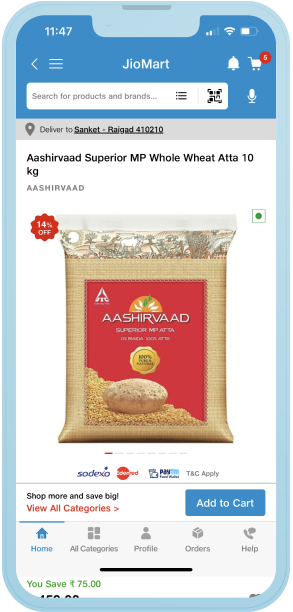
Product Images & Media
Problem: Inconsistent image
quality, no zoom, missing videos, and poor visual
context.
Psychological Insight: Users rely
heavily on visuals to assess product quality. Lack
of clarity reduces trust and increases hesitation to
purchase.
Recommendation: Add hi-res,
zoomable images and contextual videos. Use visual
tags (e.g., “Best Quality”, “Farm Fresh”) to signal
value.
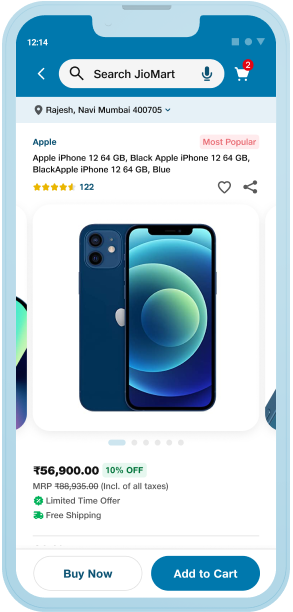
Product Name & Variants
Problem: Brand and product names
were not highlighted. Variants (color, size,
storage) were buried or missing.
Psychological Insight: Users scan
for known brands and variant options early to
validate their choices quickly.
Recommendation: Show brand before
product name. Surface key variants with price and
availability upfront.
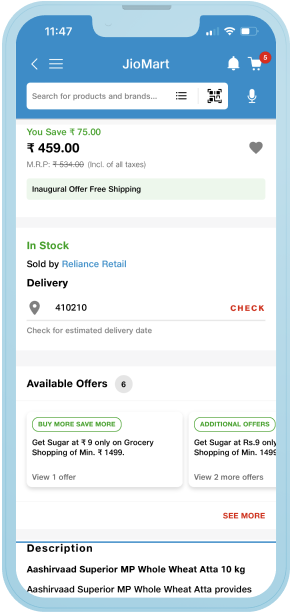
Offers & Pricing
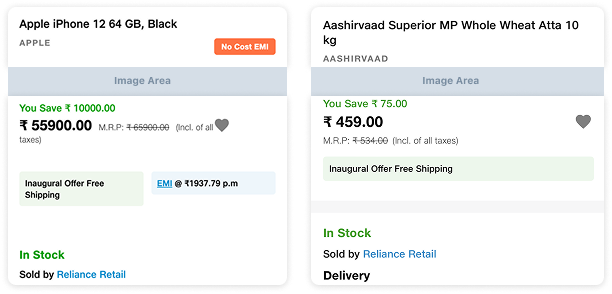
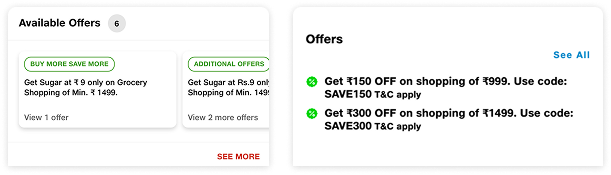
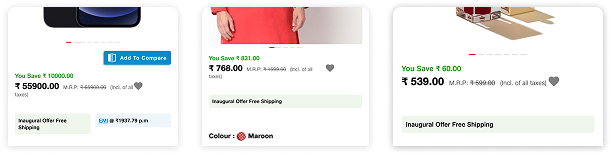
Problem: Offers are scattered or
not clearly emphasized; pricing lacks visual
hierarchy.
Psychological Insight: Offers act
as purchase triggers—when hidden or unclear, users
are less motivated to act.
Recommendation: Group all offers
together above the fold. Highlight using
urgency-based tags like “Limited Time Deal” or
“Special Offer”.
Wishlist, Share & Compare
Problem: Icons were misplaced or
missing; compare feature lacked clear use and
interaction.
Psychological Insight: Users often
delay purchases or seek validation—wishlist and
share features help them decide later or with
others.
Recommendation: Place wishlist and
share icons prominently. Enable compare with
actionable CTAs and feature highlights.
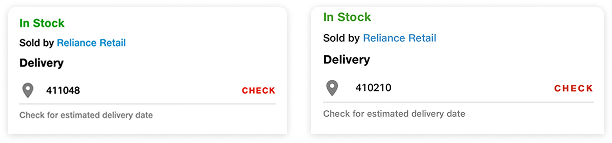
Delivery & Stock Info
Problem: Users must enter a pincode
manually; delivery dates and seller info are not
visible.
Psychological Insight: Lack of
delivery clarity adds friction and uncertainty.
Users may abandon if effort feels high.
Recommendation: Auto-detect
location or guide users with placeholder text. Show
seller info, delivery estimates, and availability
clearly.
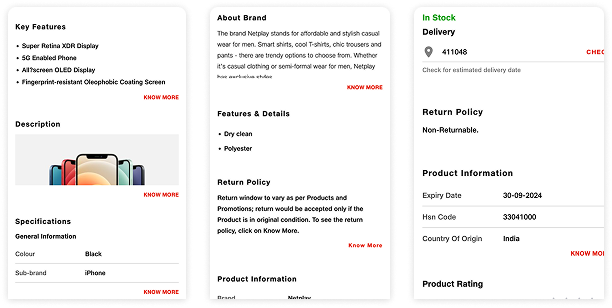
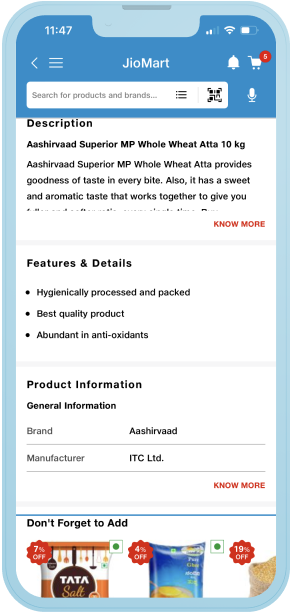
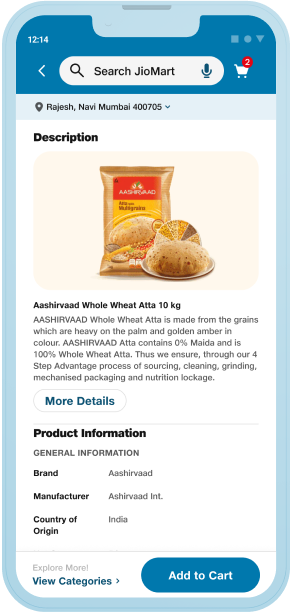
Product Description & Features
Problem: Descriptions were long,
dense, and lacked structure or visual support.
Psychological Insight: Users skim
before they read. Dense text without visual cues
makes it hard to retain attention.
Recommendation: Use bullets, icons,
visuals, and manufacturer images to communicate
features faster and better.
Return Policy & Trust Indicators
Problem: Policy details were
unclear, buried, and lacked emphasis. Fonts and CTAs
lacked hierarchy.
Psychological Insight: Clear return
policies and trust badges reduce risk perception and
increase conversion.
Recommendation: Use badges like
“Easy Returns”, improve font hierarchy, and place
return/exchange policies visibly.
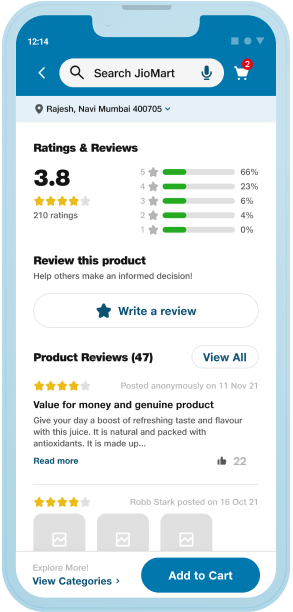
Ratings, Reviews & UGC
Problem: Reviews lacked filtering,
UGC support, and visual engagement.
Psychological Insight: Social proof
is a powerful influence—users trust peer feedback
over brand claims. frustration.
Recommendation: Add review filters
(images, keywords), enable photo/video uploads, and
highlight helpful reviews.
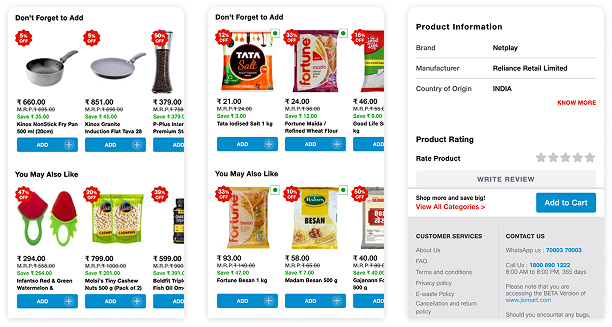
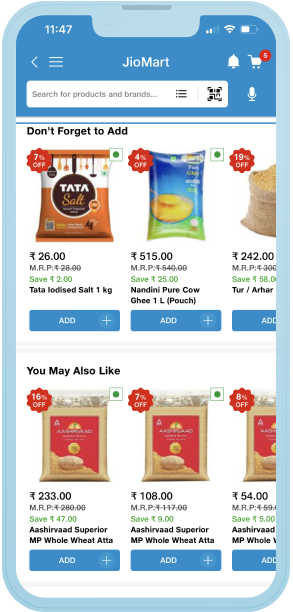
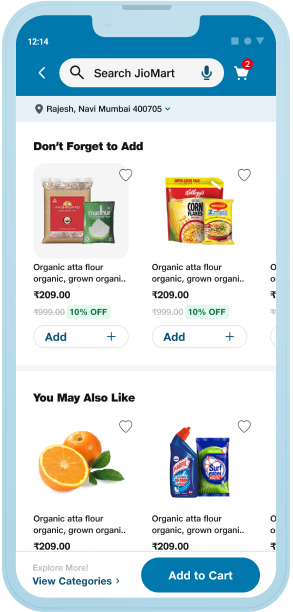
Recommendations & Similar Products
Problem: Lack of personalized or
similar product discovery.
Psychological Insight: When users
browse, they want to compare or explore similar
options before deciding.
Recommendation: Add AI-based
suggestions like “People also bought” and “Similar
Products” to boost exploration and retention.
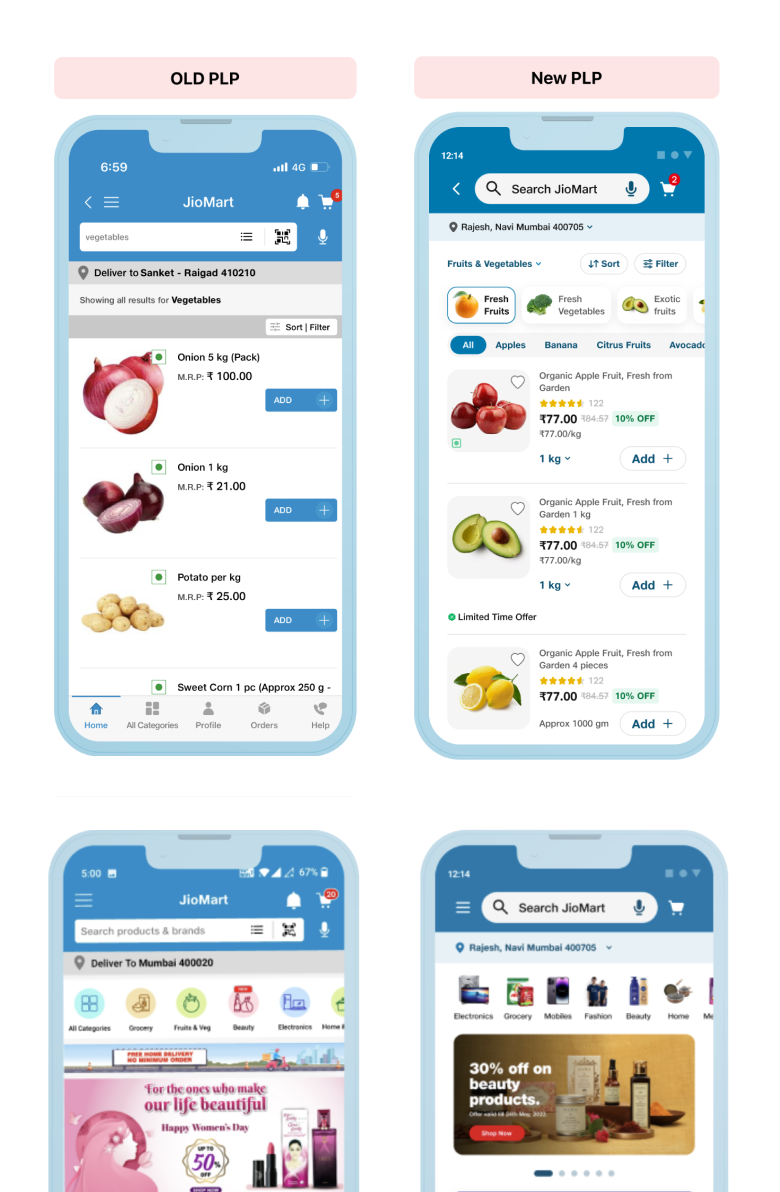
Final Design: Before & After Design
The Checkout Reimagined
After multiple iterations and user testing, we arrived at a
better discover and enagement process that was simple,
intuitive, and highly personalized. We eliminated distractions,
focused on the essentials, and made the entire process feel more
like a journey than a chore.
What Customers See When They Land
✅ Consistent Category Icons
✅ Clearer search & scan functionality
✅ Accurate search categorization
✅ Improved voice & scan accuracy
✅ Real-time quantity alerts in Top Deals
✅ Automatic GPS address detection
✅ Simplified navigation
✅ Better grouping (orders, wishlist)
✅ Visually consistent promotional banners
✅ Action cues at end-of-scroll consistency and
readability.
✅ Consistent Category Icons
✅ Clearer search & scan functionality
✅ Accurate search categorization
✅ Improved voice & scan accuracy
✅ Real-time quantity alerts in Top Deals
✅ Automatic GPS address detection
✅ Simplified navigation
✅ Better grouping (orders, wishlist)
✅ Visually consistent promotional banners
✅ Action cues at end-of-scroll consistency and
readability.
From Scroll to Selection: What Changed?
✅ Better Filters & Sorting: Improved
clarity and usability.
✅ Simplified Card Layouts: Easy-to-scan
product details.
✅ Ratings Visibility: Prominent display
of user ratings.
✅ Clear Pricing & Offers: Optimized for
quick decisions.
✅ Wishlist Icon: Easy shortlisting with
intuitive favorites.
✅ Urgency Boosters: Tags like "Best
Seller" and "Trending."
✅ Enhanced Images: Larger, high-quality
visuals.
✅ Better Filters & Sorting: Improved
clarity and usability.
✅ Simplified Card Layouts: Easy-to-scan
product details.
✅ Ratings Visibility: Prominent display of
user ratings.
✅ Clear Pricing & Offers: Optimized for
quick decisions.
✅ Wishlist Icon: Easy shortlisting with
intuitive favorites.
✅ Urgency Boosters: Tags like "Best Seller"
and "Trending."
✅ Enhanced Images: Larger, high-quality
visuals.
Helping Users Find the Right Fit, Faster
✅ Enhanced Images: Bigger, sharper
visuals for better product recall.
✅ Refined Categories: Improved structure
and discoverability.
✅ Jargon-Free Labels: Simplified language
for broader clarity.
✅ Improved Scroll & Pagination: Smoother
browsing experience.
✅ Enhanced Images: Bigger, sharper visuals
for better product recall.
✅ Refined Categories: Improved structure
and discoverability.
✅ Jargon-Free Labels: Simplified language
for broader clarity.
✅ Improved Scroll & Pagination: Smoother
browsing experience.
Where Decisions Happen, Then vs Now
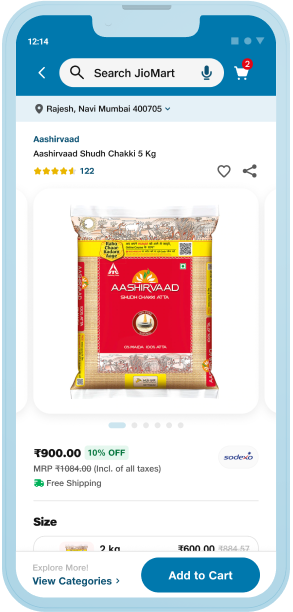
✅ Added high-quality product images with
real-life context and tags (e.g. ‘Farm Fresh’, ‘Best
Quality’)
✅ Introduced a
clear Delivery Location strip with user
name, address & pincode dropdown.
✅ Repositioned brand name above product
name, with quantity details.
✅ Integrated social signifiers: reviews,
likes, shares.
✅ Enabled wishlist and share icons for
mobile users.
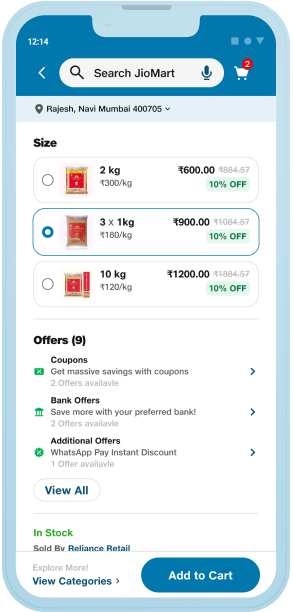
✅ Displayed product variants upfront with
price, quantity, and discount.
✅ Added high-quality product images with
real-life context and tags (e.g. ‘Farm Fresh’, ‘Best
Quality’)
✅ Introduced a
clear Delivery Location strip with user name,
address & pincode dropdown.
✅ Repositioned brand name above product
name, with quantity details.
✅ Integrated social signifiers: reviews,
likes, shares.
✅ Enabled wishlist and share icons for
mobile users.
✅ Displayed product variants upfront with
price, quantity, and discount.
From Uncertainty to Confidence
✅ Grouped offers and placed them
prominently above the fold with visual tags like “Limited
Time Deal”.
✅ Highlighted stimated delivery date with
clearer CTA.
✅ Introduced bullet-format feature lists for easy
scanning.
✅ Added rust badges, product USPs, and
seller info to build credibility.
✅ Grouped offers and placed them
prominently above the fold with visual tags like “Limited Time
Deal”.
✅ Highlighted stimated delivery date with
clearer CTA.
✅ Introduced bullet-format feature lists for easy
scanning.
✅ Added rust badges, product USPs, and
seller info to build credibility.
From Overwhelming to Effortless
✅ Structured Product Description and
Information sections with cleaner CTAs.
✅ Added Compare functionality with price,
features, and action CTAs.
✅ Enhanced return policy visibility and
explanation.
✅ Structured Product Description and
Information sections with cleaner CTAs.
✅ Added Compare functionality with price,
features, and action CTAs.
✅ Enhanced return policy visibility and
explanation.
What Changed on the Final Click?
✅ Wishlist made visible for saved
browsing.
✅ Highlighted discount labels and urgency
markers.
✅ Enabled “Similar Products” section to
encourage continued discovery.
✅ Wishlist made visible for saved
browsing.
✅ Highlighted discount labels and urgency
markers.
✅ Enabled “Similar Products” section to
encourage continued discovery.
A More Trusting Product Page
✅ Added detailed UGC content / Ratings &
Reviews summary with star filters.
✅ “View All” CTA for full review
access.
✅ Enabled photo uploads in reviews.
✅ Added “Like” feature on reviews.
✅ Introduced “Recently Viewed” section
for quick revisit.
✅ Added detailed UGC content / Ratings &
Reviews summary with star filters.
✅ “View All” CTA for full review
access.
✅ Enabled photo uploads in reviews.
✅ Added “Like” feature on reviews.
✅ Introduced “Recently Viewed” section for
quick revisit.
What does the cusomter experience look like?
Product Detail Page
Overall Pain Points:
- Unclear images and no zoom/interaction
- Missing variants and confusing offer display
- Manual delivery pin entry, hidden seller info
- Text-heavy specs with poor visual hierarchy
- Vague return policy, non-prominent CTAs
-
Lack of discovery, personalization, and social proof
Overall Recos:
- Hi-res images & zoom
- Wishlist, Share, and Compare features
- Visual product specs & brand tags
-
Visible trust badges, seller info, and return clarity
- Ratings with image/video filters and keyword search
-
Personalized recommendations: “People also bought this”
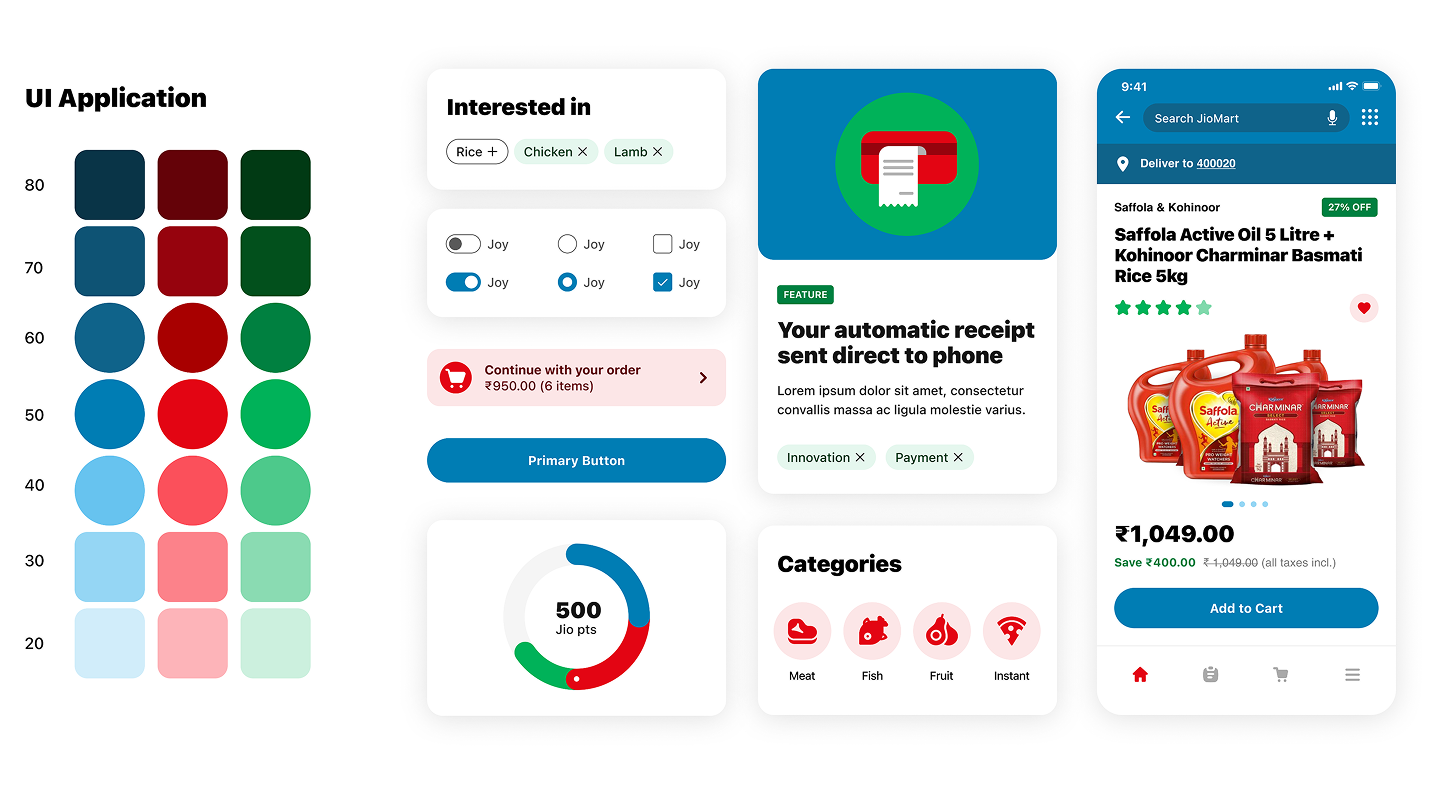
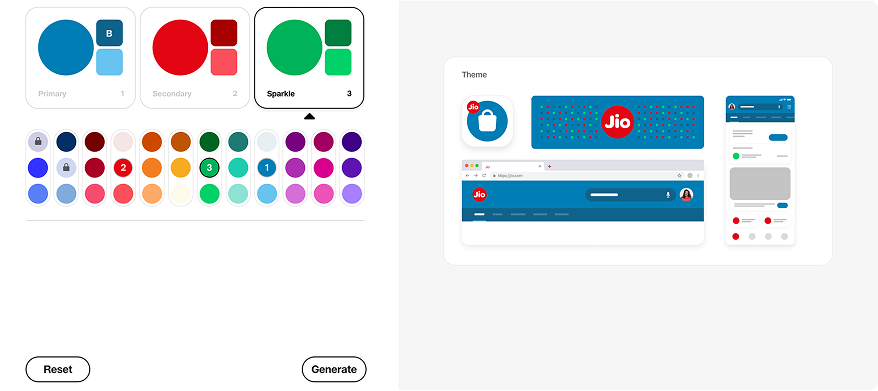
Theme Structure DS 2.0 for JioMart
Jios Theme Generator
Create your theme: Select a color from the options below for any
vertical JioMart, Myjio, JioHotsar, JioCinema, JioPay etc
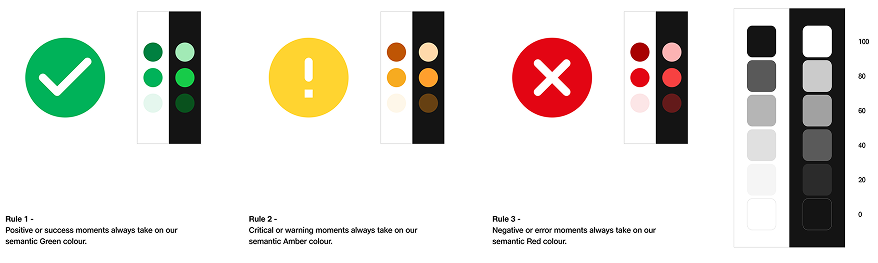
Sementics Colours & Greyscale
Sementics Colors → That give our users clear feedback, Greyscale →
Colors for bgs, text & descriptive elements.
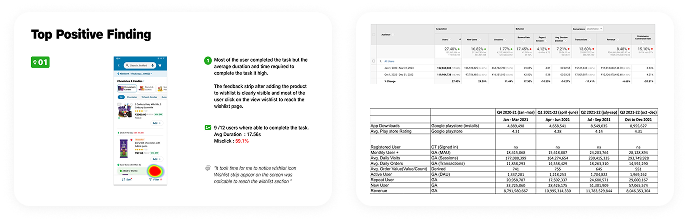
Outcome: Measuring Success
By implementing these design solutions, we not only enhanced the
user experience but also saw tangible improvements in key business
metrics:
-
Increased Basket Size:
With personalized upselling and a clearer product presentation,
users added more items to their cart.
-
Higher Conversion Rate:
The smoother, more intuitive checkout process resulted in fewer
abandoned carts.
-
Improved Customer Satisfaction:
Feedback from Bhavna and Umang, along with other users, showed
that the redesigned checkout was both efficient and emotionally
engaging.
Performance in FY 22-23
36% Reduction in CS Calls
achieved through CX improvements in Help & Support
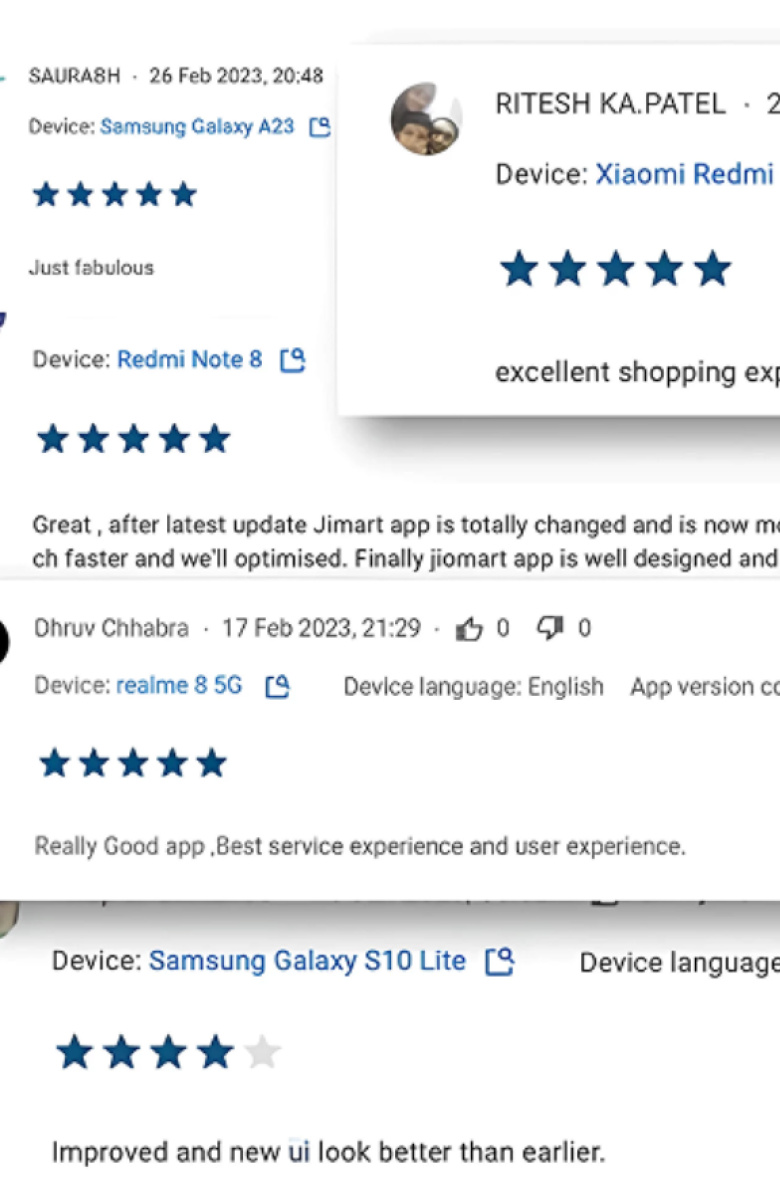
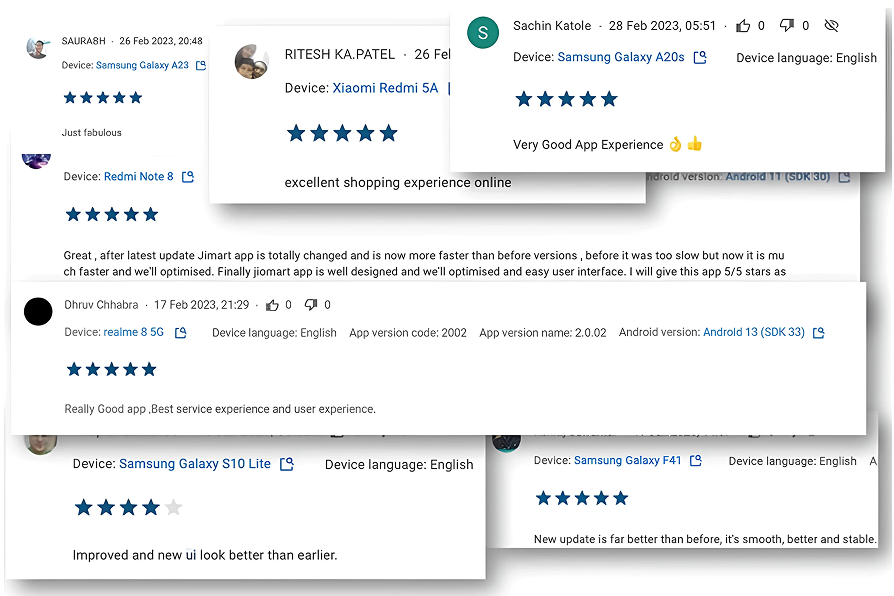
Trusty customer feedbacks