

I led the redesign of JioMart’s checkout flow identifying gaps, driving UX improvements, and aligning with Design System 2.0.
Design Buddies: Abhishek, Sayed, Anirban, Sanket, Lalitya, Akhil and Nirmal (The Boss)
August 2023 - October 2023
With 8+ years in UX and product design, I’ve learned that high-impact improvements often hide in plain sight. In 2022, I joined the JioMart upgrade initiative as part of Jio’s central design team - a rotating crew that parachutes into key verticals to identify and fix critical UX gaps.
My first assignment? The cart and checkout flow. It looked functional on the surface but was quietly leaking users - high drop-offs, abandoned carts, and friction in every key interaction. As we rolled out Design System 2.0 with a European partner, this was a golden opportunity to reimagine the checkout experience—one used by every customer, but rarely optimized.
JioMart was growing fast, and the timing aligned perfectly with the rollout of DS 2.0. The existing checkout flow had clear usability issues - hidden actions, inconsistent layouts, confusing coupon logic, and a cluttered payment page. The goal was to go beyond visuals and create a faster, cleaner, and more intuitive experience that supports scale and boosts conversion.
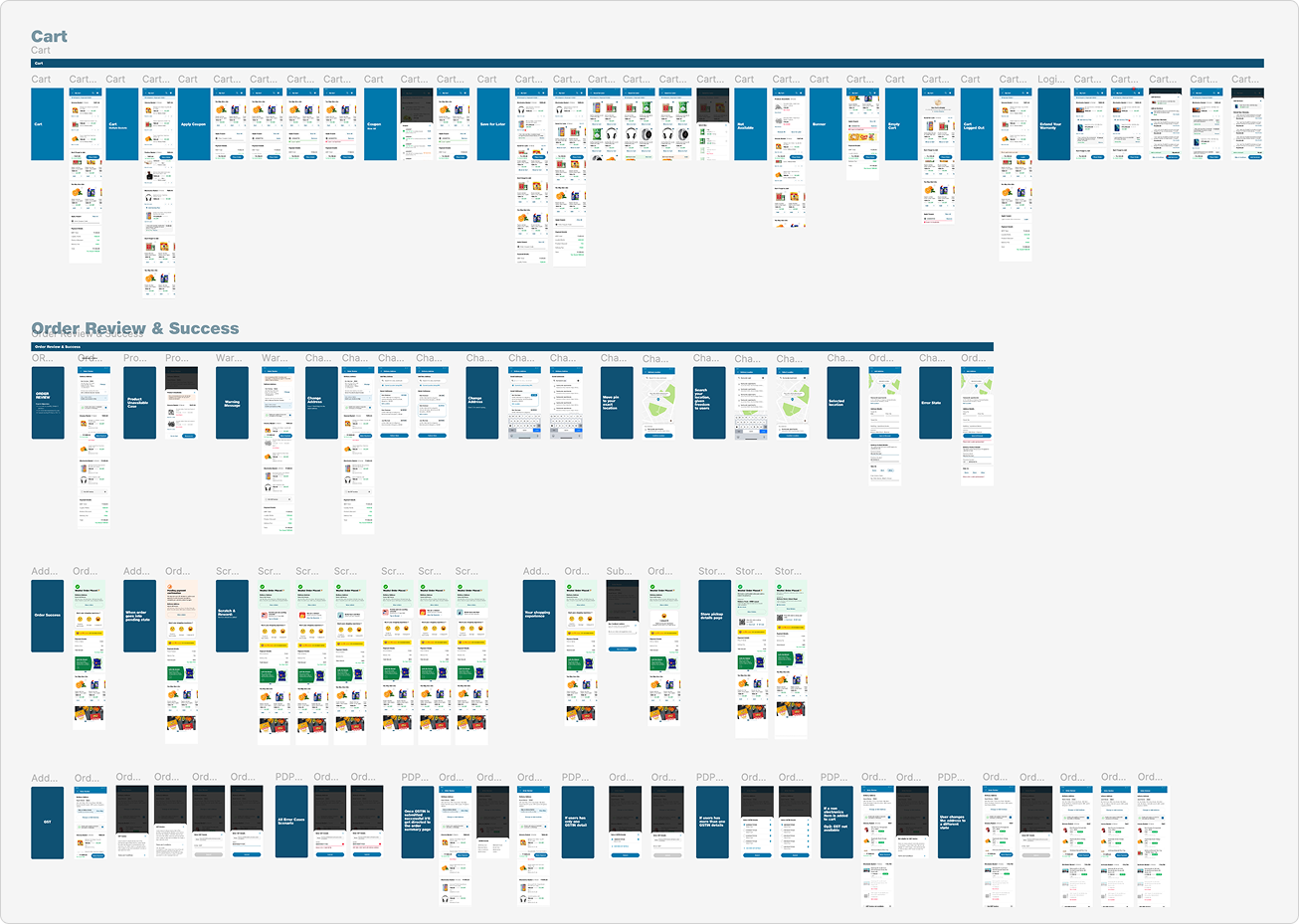
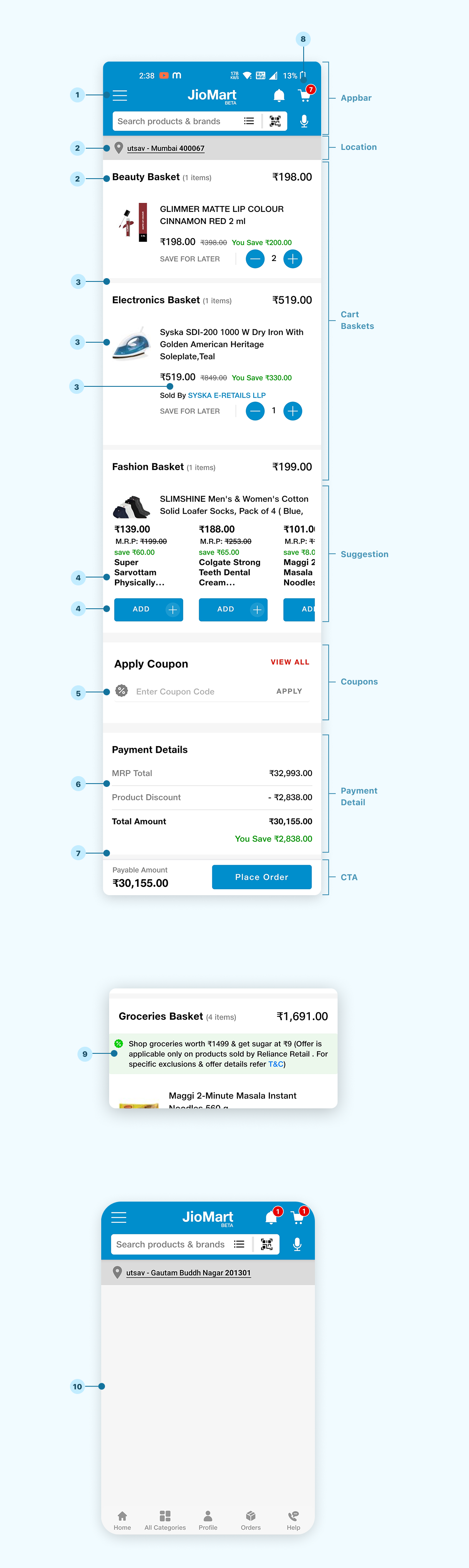
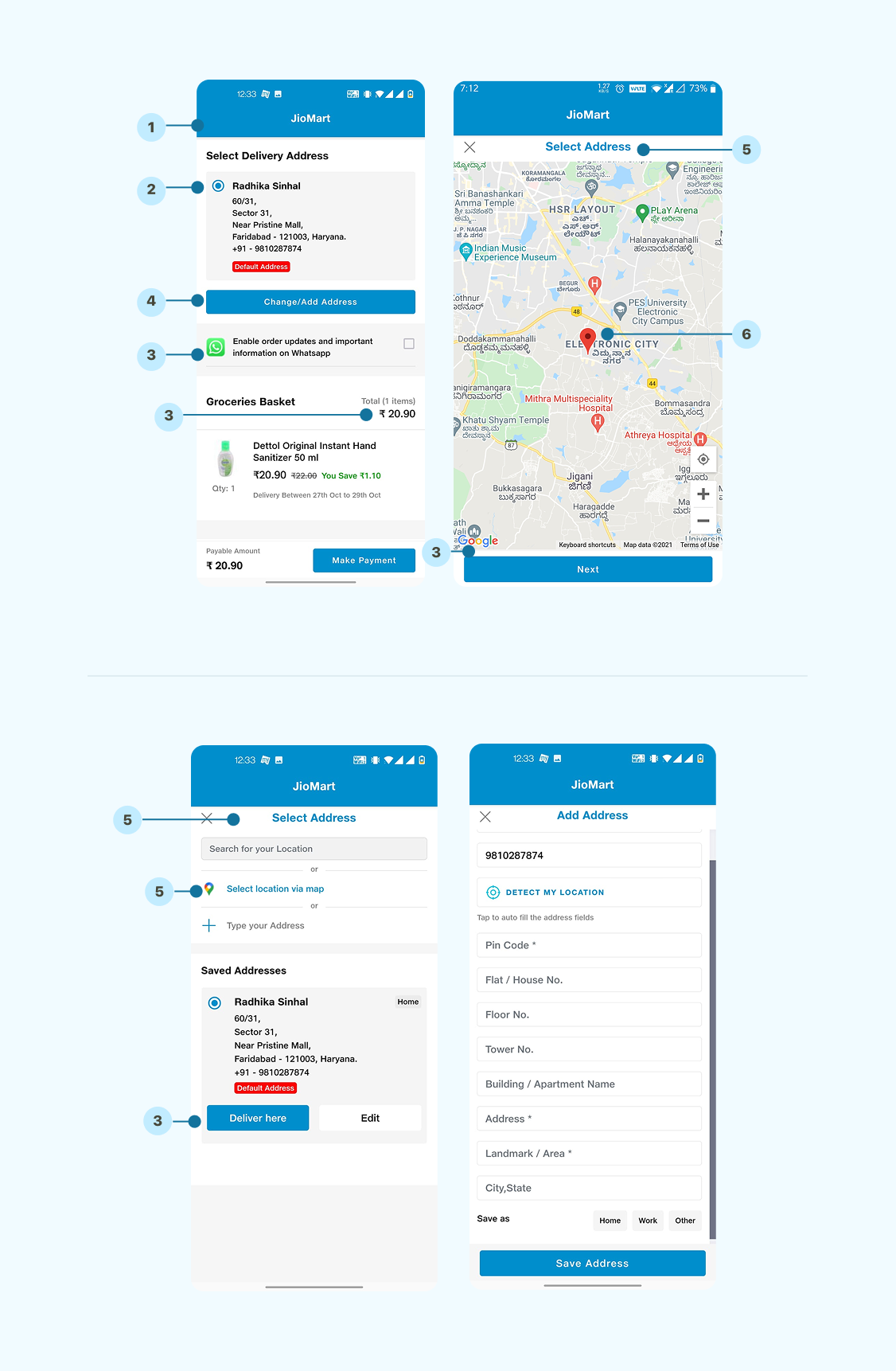
How the Checkout Flow: Cart, Address & Delivery, Payment, Order Review, and Confirmation - Originally Looked
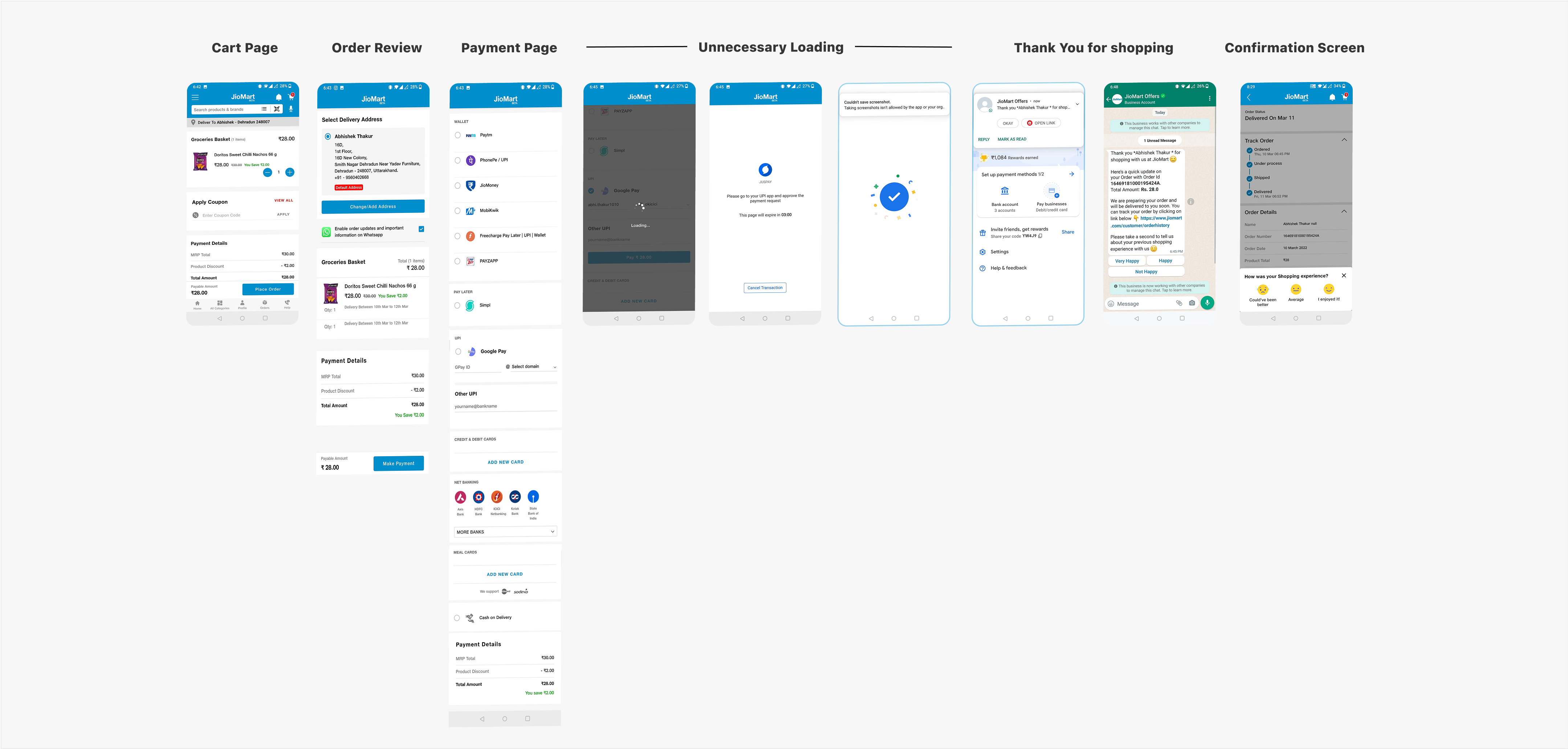
Shopping is an essential part of our daily lives. Yet, when users make the decision to purchase, the checkout experience often becomes the "exit door" — a critical moment when users are either ready to complete their purchase or abandon their carts. “For JioMart, the challenge was to streamline the checkout process and increase user engagement” by making the cart page more intuitive, while addressing frustrations that caused cart abandonment.
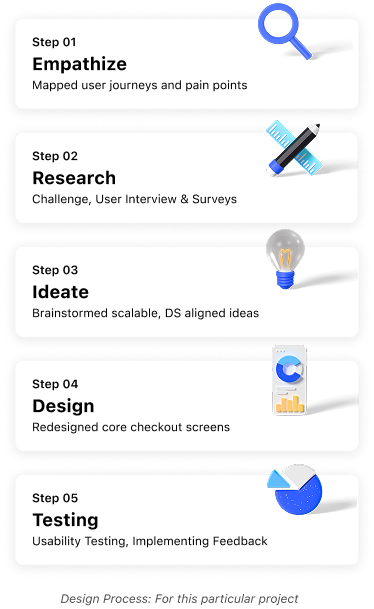
Every design process adapts to context. For this assignment, it wasn’t about reinventing everything—it was about listening to users, fixing what was broken, and upgrading the experience where it mattered most. We combined empathy, market sense, and system constraints to shape decisions and ship what was realistic.

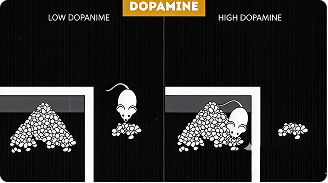
Impulse and repeat buying are often driven by dopamine, the brain's “reward chemical”. During research, we found that a cluttered or restrictive checkout flow dampens this response like a rat outside the cage with limited access to food. But place that same rat inside a cage filled with options and rewards, and motivation spikes.
Similarly, a clean well-designed checkout with clear
pricing, smart suggestions and enticing offers can turn a
routine step into a rewarding, basket-boosting moment of
delight.
Keyword - Repeat

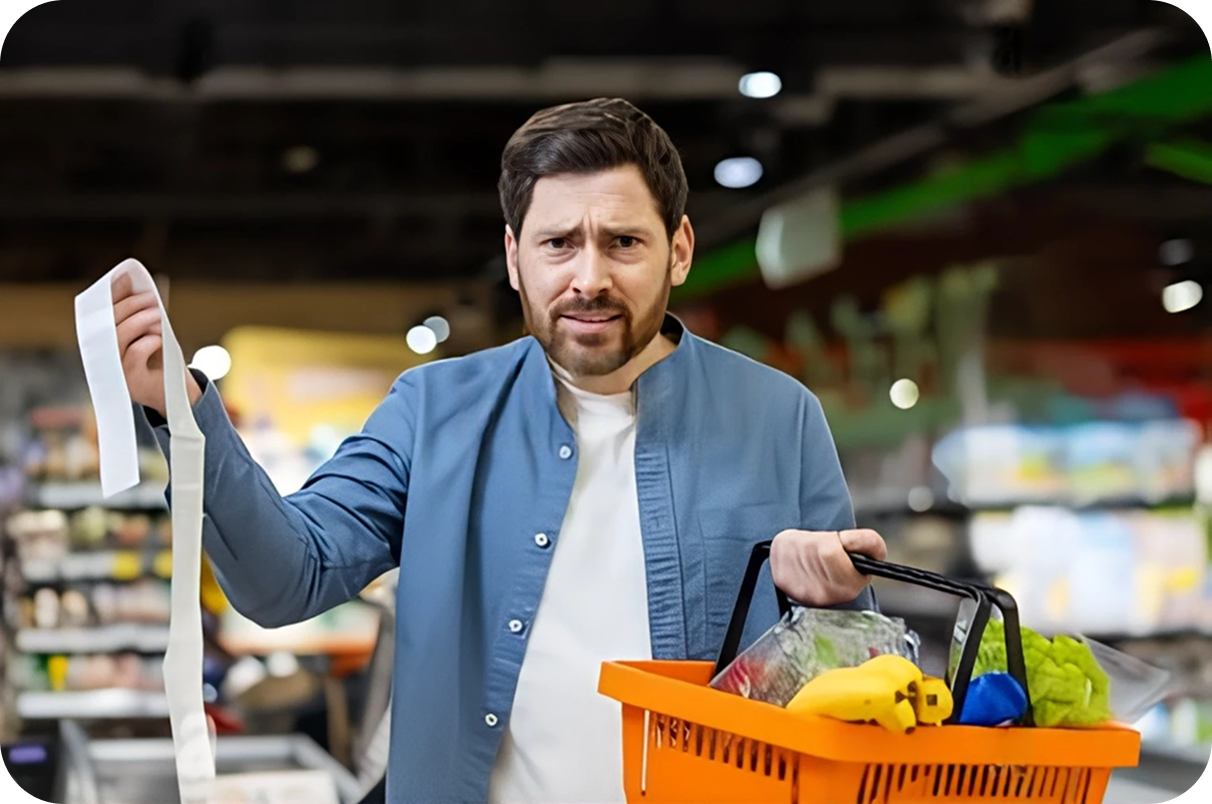
To reach their goals, users don’t just need motivation - they need access. Unlike preferences (like color or layout), needs are essential functions that let users move forward.
Think of a shopper standing at a locked door. No matter how inviting the store looks inside,
they won’t step through unless the door opens. In the same way, users need easy access to coupons,
delivery info, payment options, and control over their cart. Meeting these needs removes friction and
keeps them moving toward checkout..
Keyword - Access to something, preferences


Frustrations are the silent deal-breakers, strong negative emotional triggers that disrupt a user’s journey. They often surface when expectations are broken: a coupon that doesn’t apply, a button that doesn’t respond, or too many steps to simply check out.
In our study, we found that when users encountered unclear pricing, missing delivery information, or had to scroll endlessly, they felt stuck, ignored, and even misled. These aren’t just design flaws - they’re emotional blockers that push users to abandon carts and platforms altogether. Every frustration is a leak in trust - fixing them isn’t just UX polish, it’s business - critical.
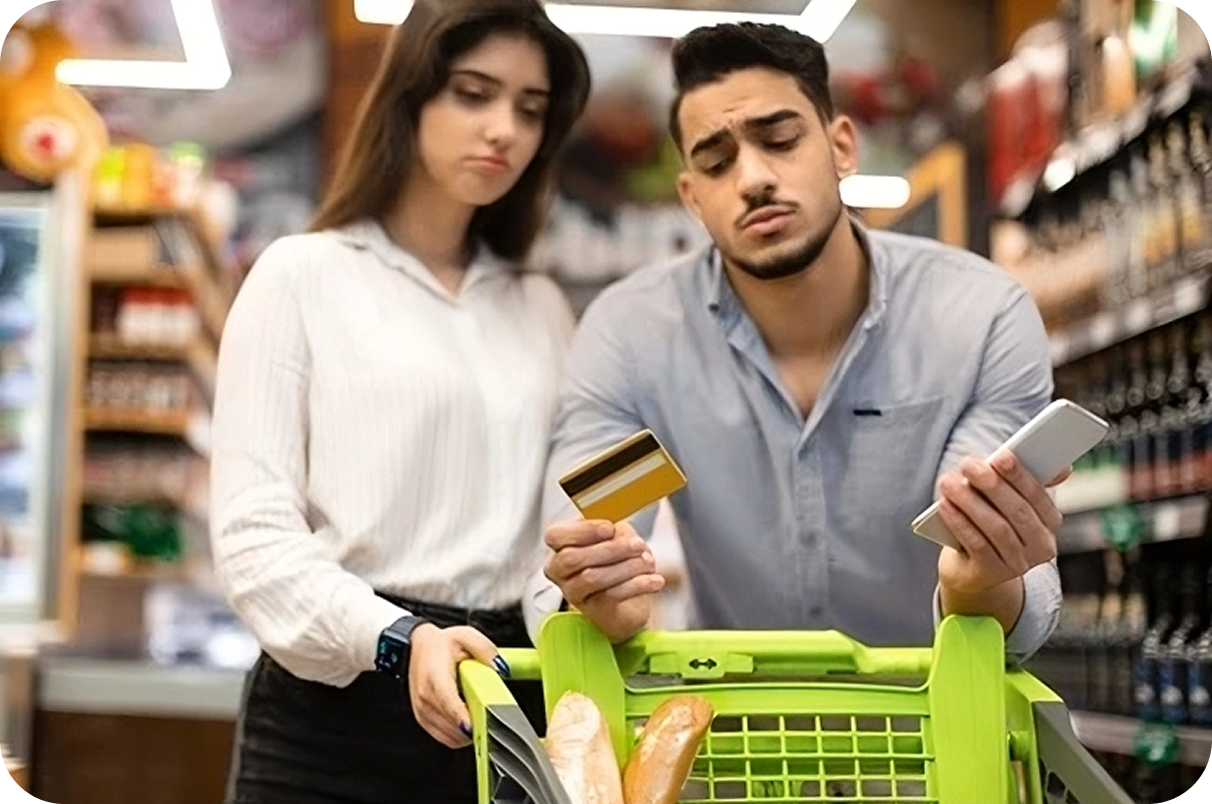
Every user interaction is guided by intent and not all goals are created equal. During the checkout journey, we uncovered three layers of user goals that shaped behavior:
- Experience Goals: "Make it feel easy, quick, and under control." These are emotional goals - users want to feel confident, reassured, and frictionless while checking out. If something feels overwhelming, they disengage.
- End Goals: "I want to buy groceries, fast." These are task-driven goals. Users want to complete a transaction with minimal effort—add to cart, apply a deal, check the price, place the order.
- Life Goals: "Be better with my time and money." These are aspirational goals. People want to shop smart, save time, avoid hassle, and maybe even feel like they’re winning by making the right purchase.
Designing with these multi-level goals in mind helped us create not just a checkout flow but a checkout moment that felt rewarding, empowering, and worth returning to.
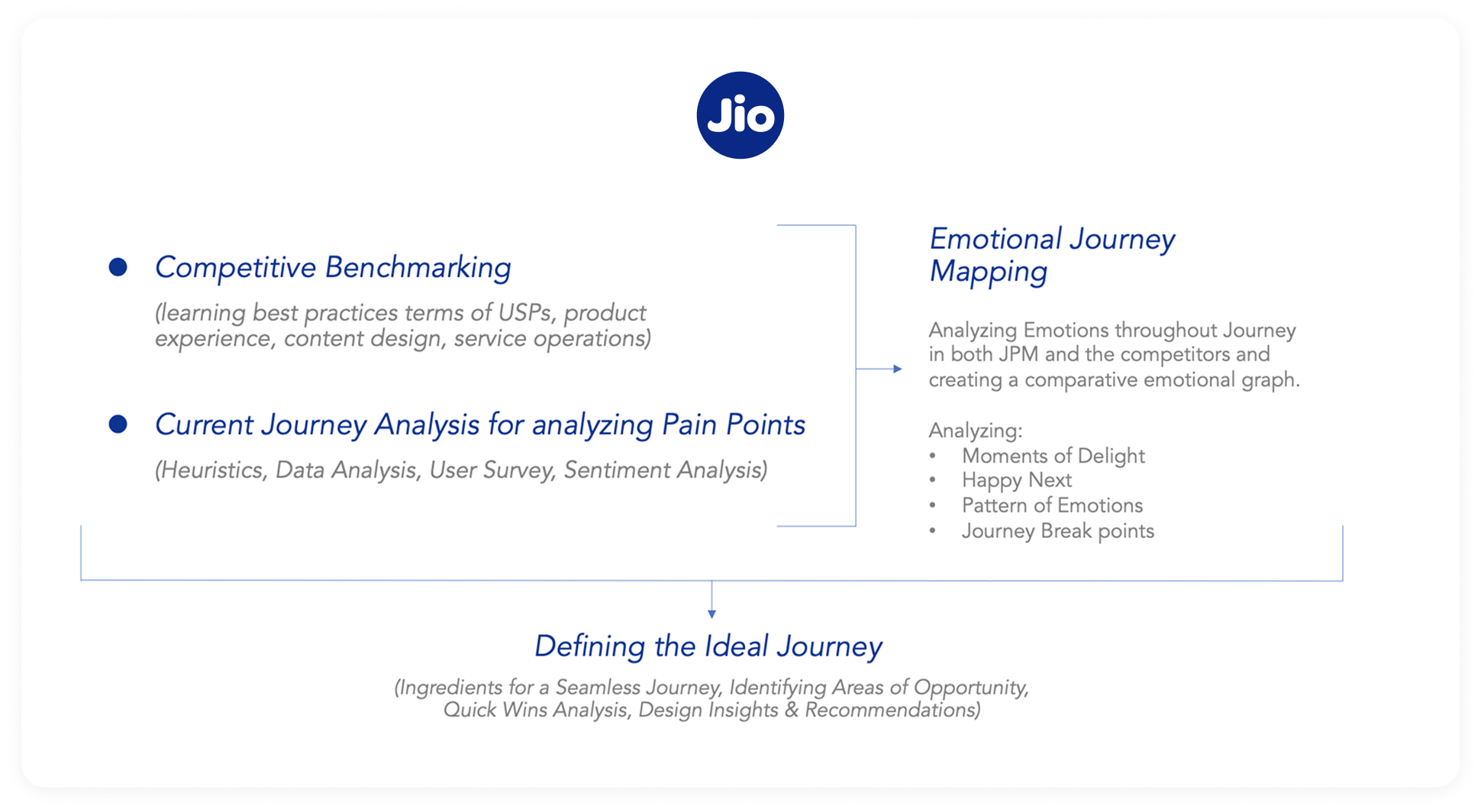
We began by analyzing competitors best practices and evaluating the current user journey to identify pain points. Emotional journey mapping revealed key moments of delight and frustration, guiding us to design a seamless, empathetic experience that addresses both functional and emotional needs.
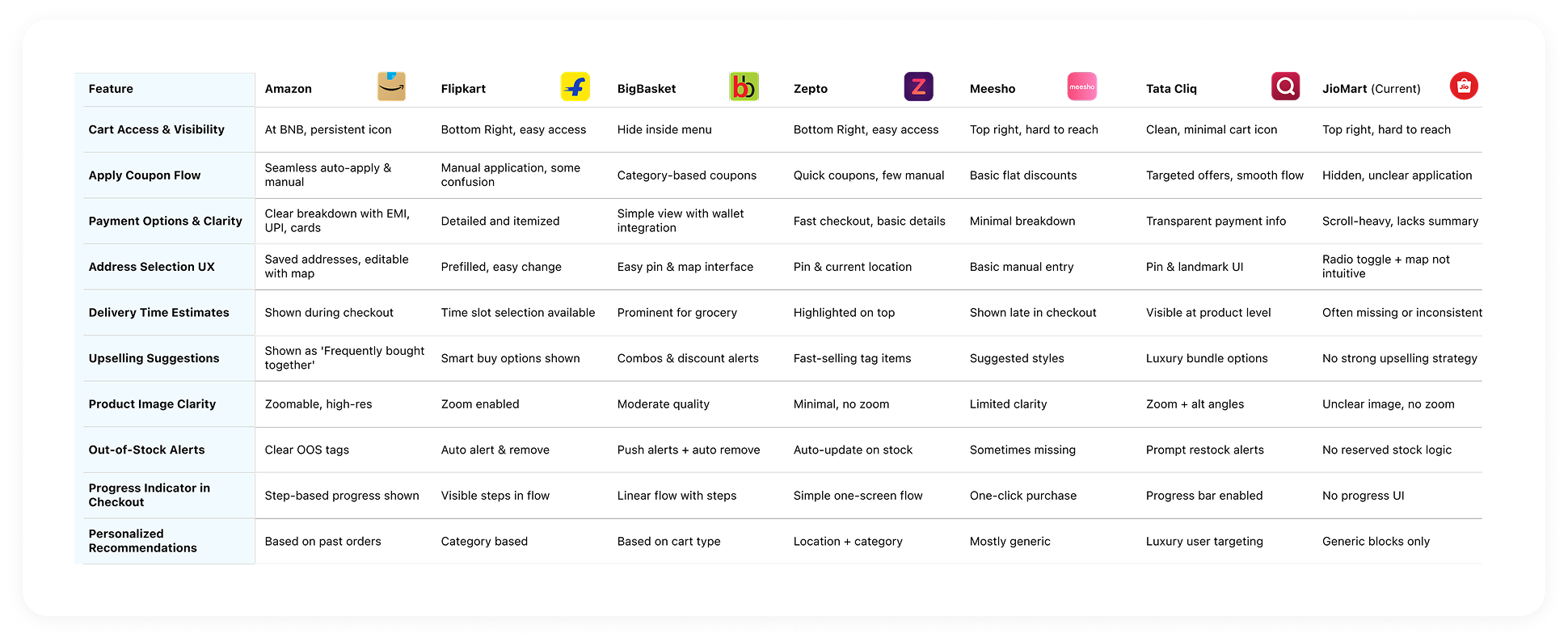
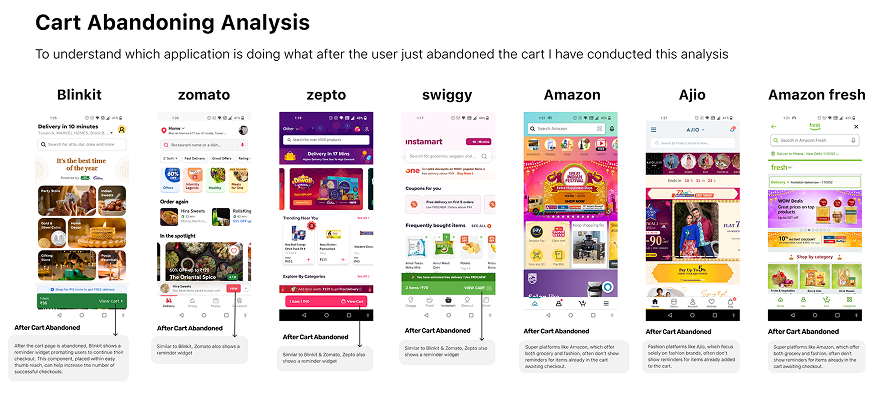
To identify gaps and spot opportunities, I analyzed the checkout flows of top e-commerce platforms like Amazon, Blinkit, Zepto, and Flipkart. This helped uncover smart UX patterns—like one-tap delivery slots, transparent pricing, and contextual coupon flows—that influence user trust and speed. These insights guided several key decisions in our redesign.
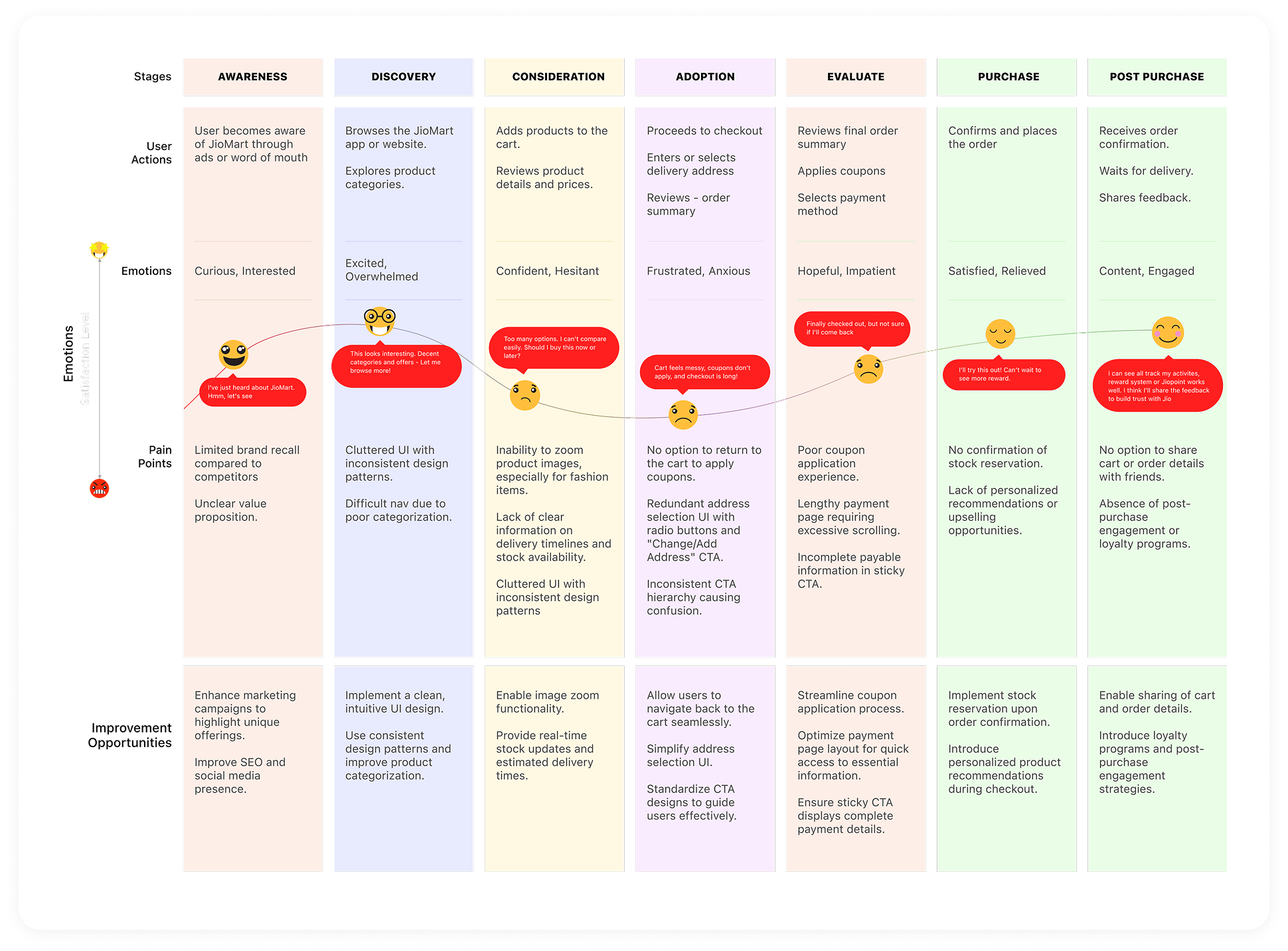
Before redesigning the checkout flow, it was important to understand the full journey users take from discovering JioMart to completing a purchase. This map helped us uncover key drop-off points, unmet needs, and emotional triggers across each phase of the buyer journey, ultimately guiding our UX decisions.
To complement product data and stakeholder insights, we conducted qualitative user interviews to understand real checkout behaviors - what motivates users to move forward and what makes them abandon their carts. We explored how users interact with coupons, manage large baskets, handle out-of-stock items and what emotional or functional blockers they experience before purchase.
Below are sample interview prompts, key observations, and friction points that directly informed our redesign of the cart, payment, and confirmation flows.
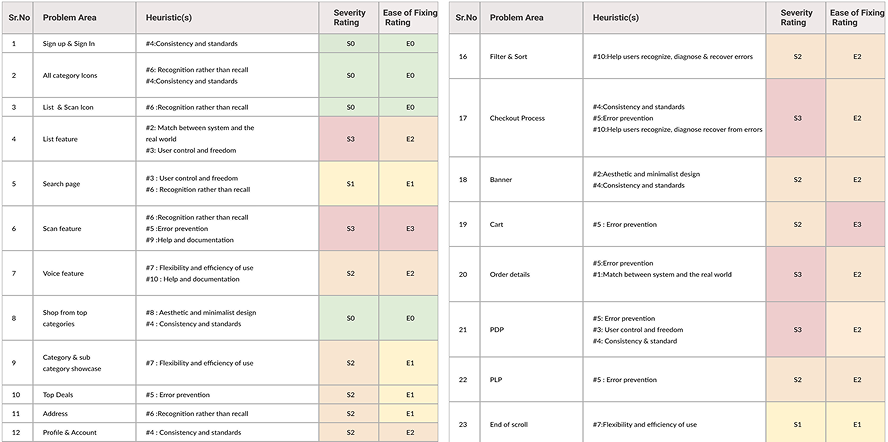
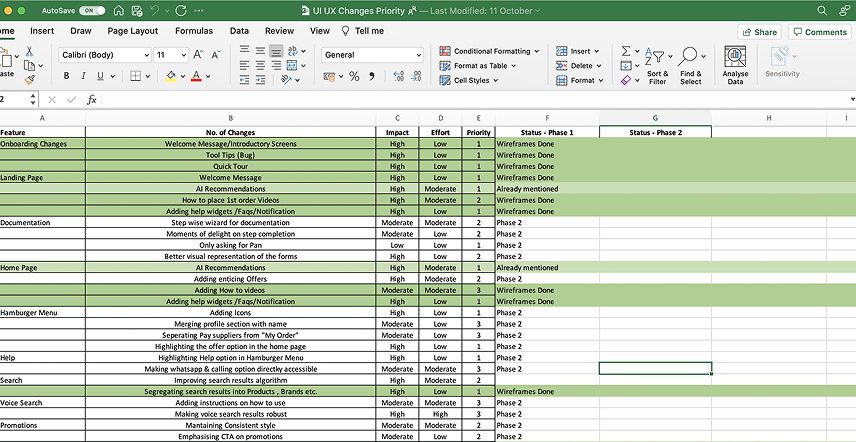
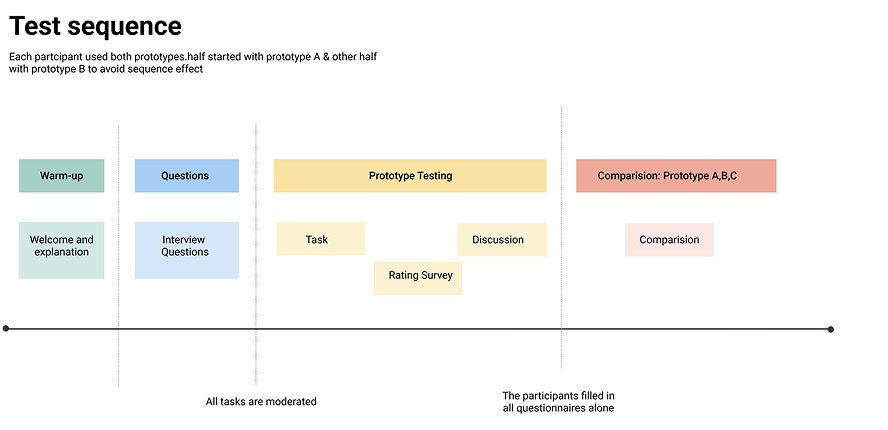
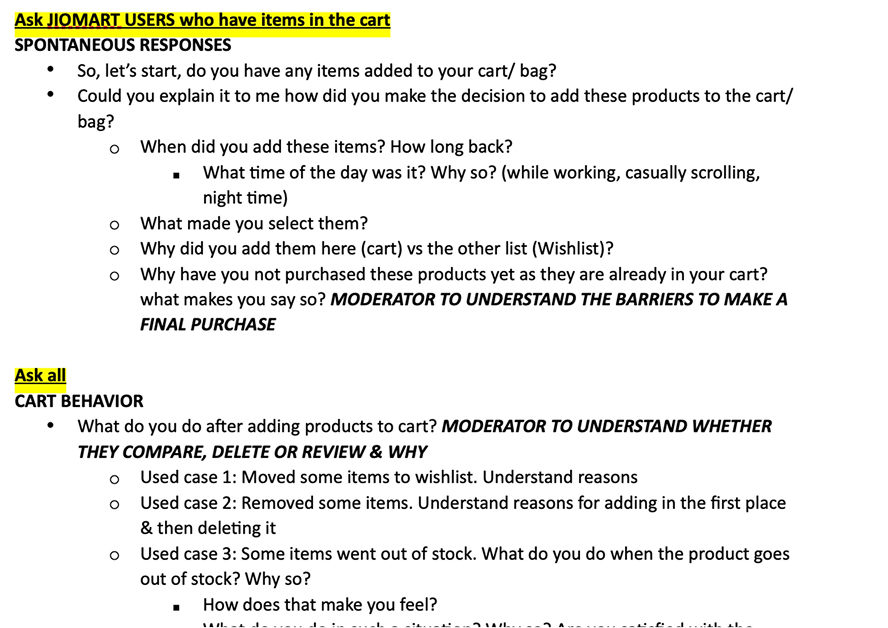
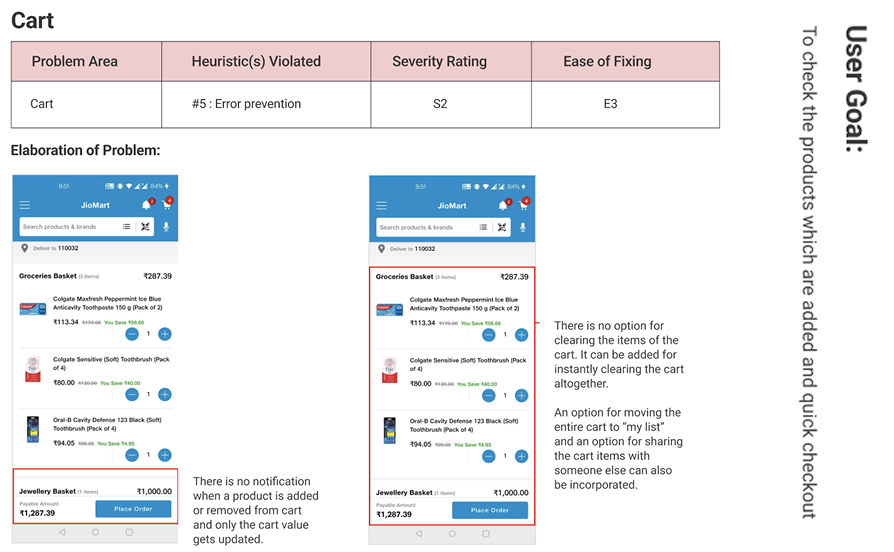
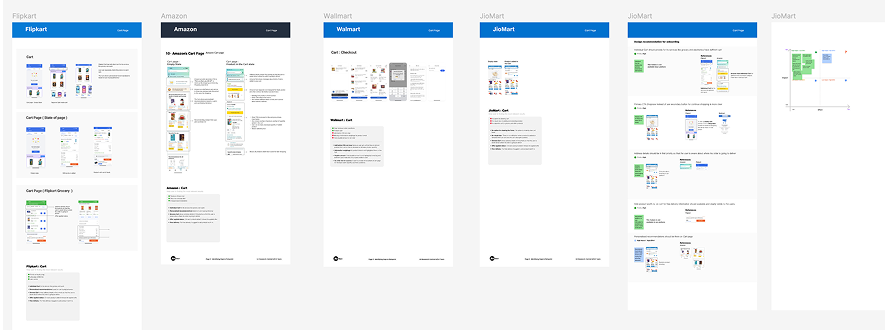
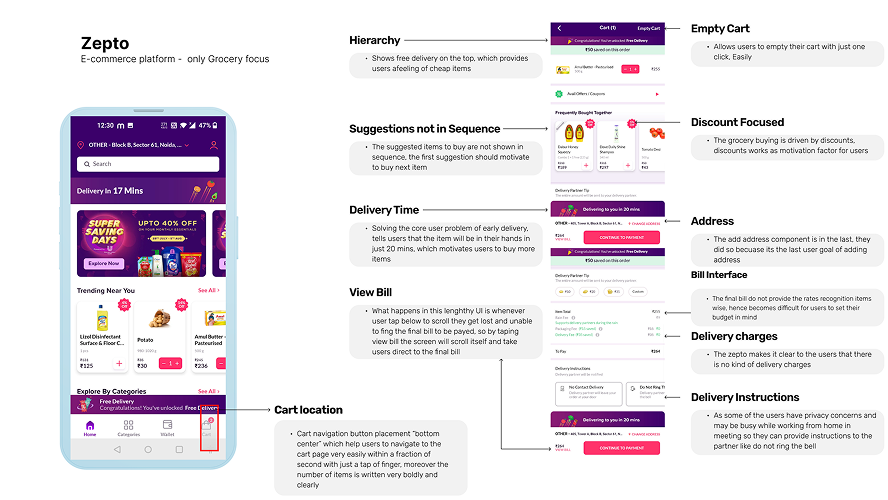
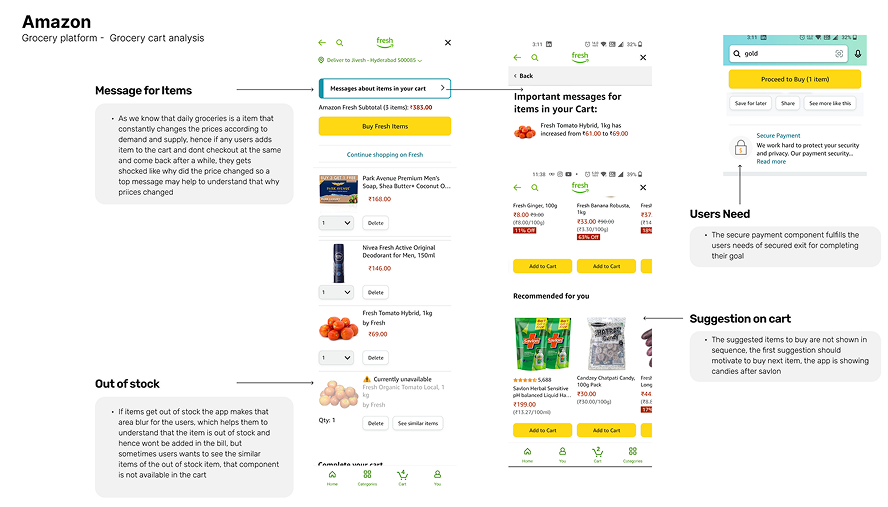
These are the core friction areas we uncovered - where users got stuck, dropped off, or felt confused - directly impacting checkout completion and satisfaction.
- Poor discoverability of the cart: Placed in the top-right corner, difficult to access, especially for single-hand mobile use.
- No clarity on delivery timelines: Particularly for groceries, users didn’t see est delivery times at checkout - a key conversion factor.
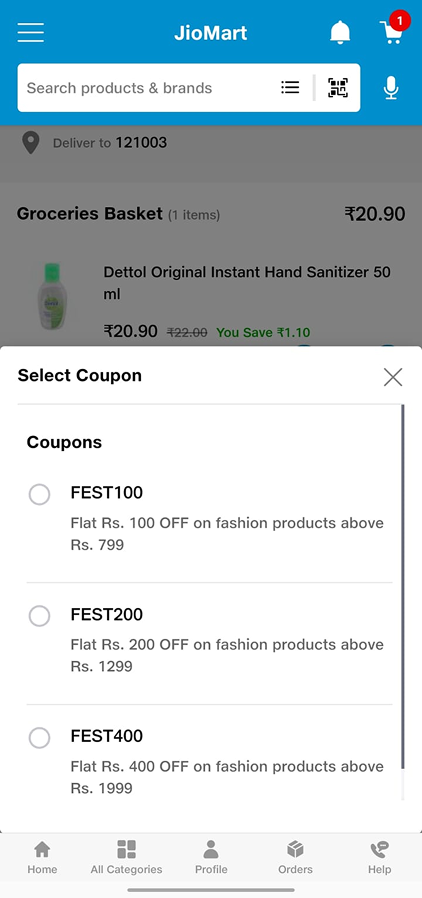
- Clunky coupon experience: Users couldn’t easily find or apply coupons, leading to missed savings and friction.
- Offer applied status: On each product added it shows the applied offer

- Product images not zoomable – critical for fashion/textile categories.
- “Add” and “+” CTAs caused decision friction; redundant actions.
- No clarity on delivery timelines on cart page.
- Lack of personalization – no private cart or hidden shipment options.
- No reserve stock logic – users frustrated when items go out of stock after adding.
- Overwhelming when cart contains 50+ items – no summary or grouping.
- Difficulty differentiating between item categories (grocery, fashion, electronics).
- No communication option with seller/shopkeeper for questions or preferences.
- Overly long address form – unnecessary fields like landmark for urban users.
- No explanation for why phone number is needed, reducing trust
- Missing delivery time/date estimates – a key decision factor for grocery buyers.
- Payment details too brief – no breakdown by item, unclear totals.
- Poor coupon savings visibility – hard to see what was applied and saved.
- Lack of progress indicator – no clarity on how many steps are left.
- Overall checkout process felt long, confusing, and emotionally flat.
- Users felt judged ordering personal items – no privacy controls.
- No option to share cart with friends for gifting or feedback.
- Users dropped off due to missing dopamine triggers – bland layout, no reward-like suggestions.
- Users preferred sequential buying cues (e.g., cornflakes → milk), which weren’t leveraged.
- Checkout felt more like a chore than a continuation of the shopping journey.
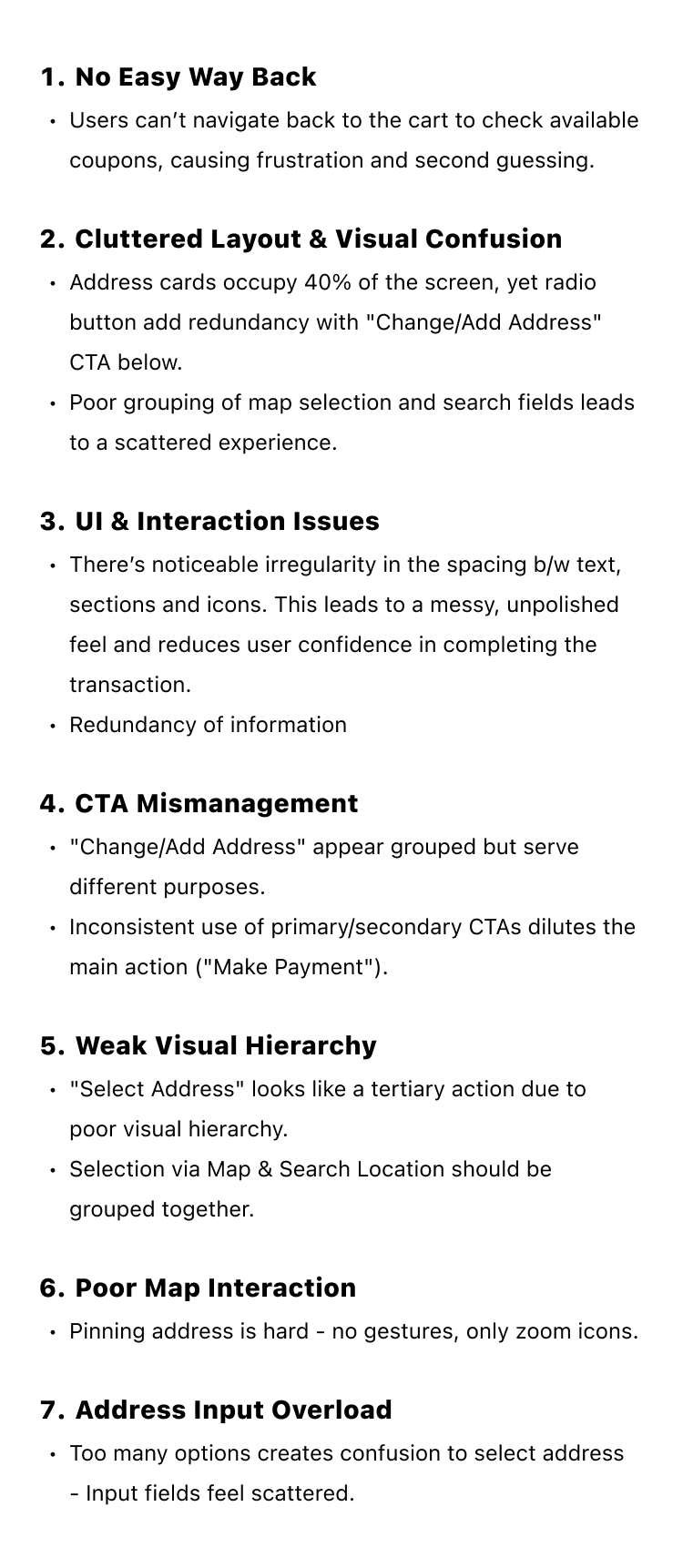
Despite being one of the most critical parts of the user journey, the existing checkout process was riddled with friction. From hidden actions to inconsistent UI, it lacked the polish and clarity needed to convert intent into purchase. Here's what we uncovered during the analysis:

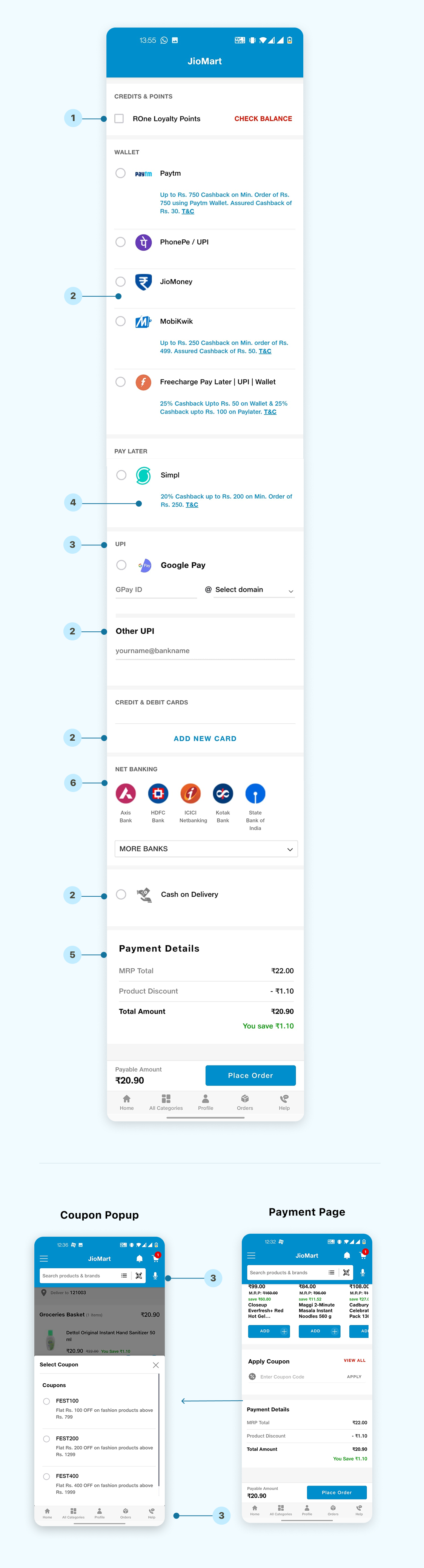

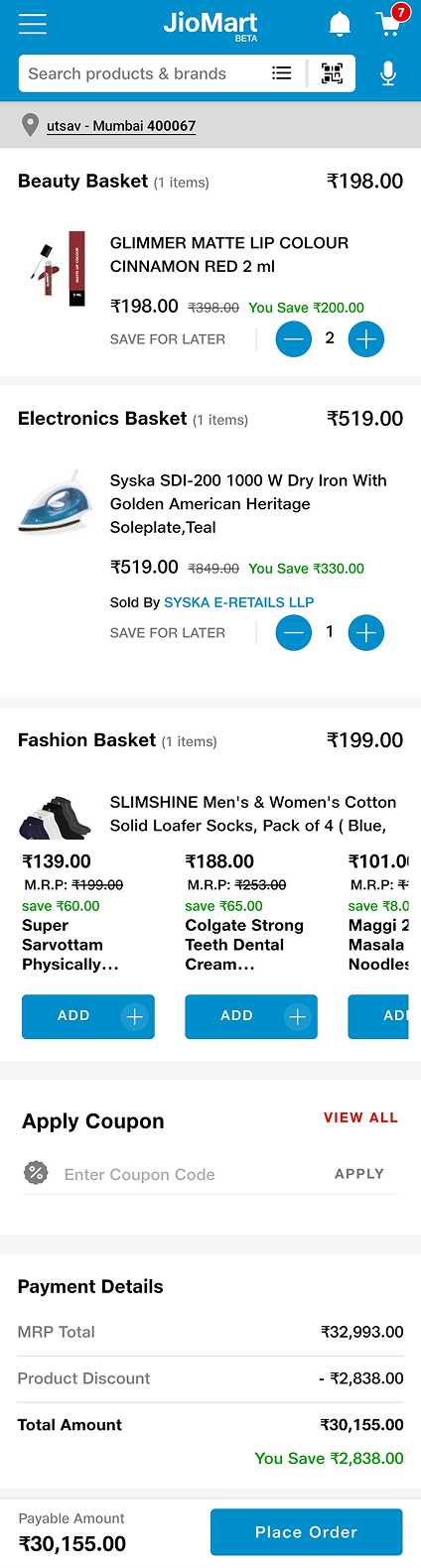
After multiple iterations and user testing, we arrived at a checkout process that was simple, intuitive, and highly personalized. We eliminated distractions, focused on the essentials, and made the entire process feel more like a journey than a chore.
-
Clear focus and prominence on
primary CTA to improve conversion
-
Payment Bifurcation Nudge: Users can click
the chevron next to the payment amount to view the
bifurcation in a pop-up.
-
Moved away from the
grey Save for Later CTA
that appeared disabled state to a more prominent one with
consistent UI.
-
Product Details: Cart now shows size,
color, seller, and available services for products, aiding
decision-making.
-
All other CTAs are secondary to
avoid confusion in the mind of customers:
Secondary CTAs are now clearly distinguishable from the
primary action, reducing user confusion..




-
Improved "view all" pop-up for coupons
and ability to expand payment details by tapping on the
chevron on the bottom sticky bar
-
Enable horizontal scroll for Saved for Later
items to bring up other recommendation modules
-
Automatic Best Coupon Application:
The best available coupon is applied automatically based on
past purchases or current offers.
-
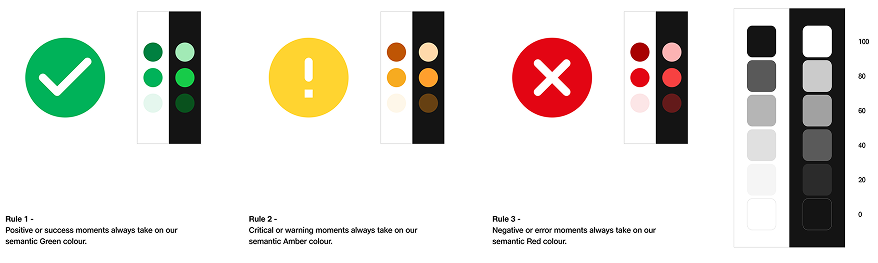
Color-Coded Payment Breakdown:
Discounts and payment details are displayed with semantic
colors (e.g., green for discounts) for clarity.
-
“Don’t Forget to Add” & “You May Also Like” sections allow
users mimicking physical store. Many more :)
-
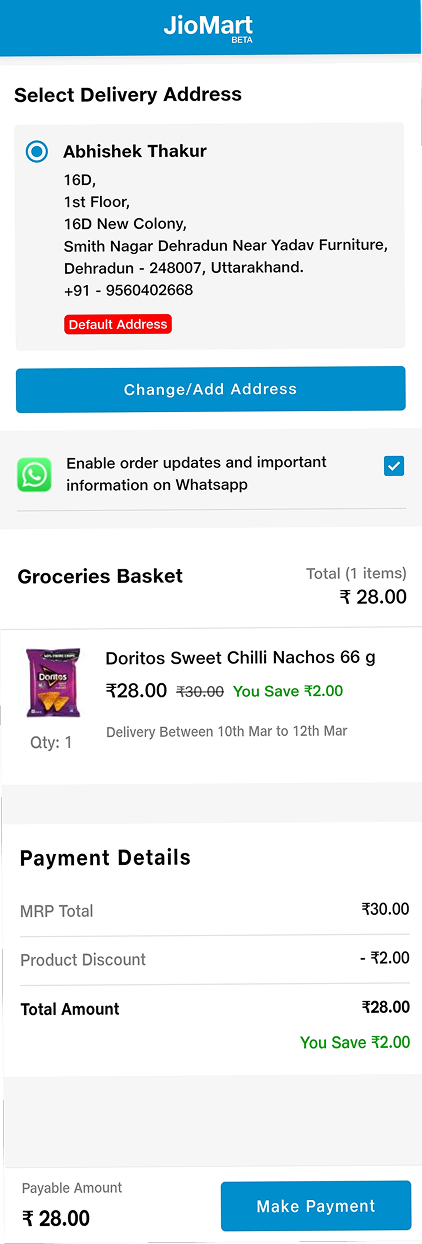
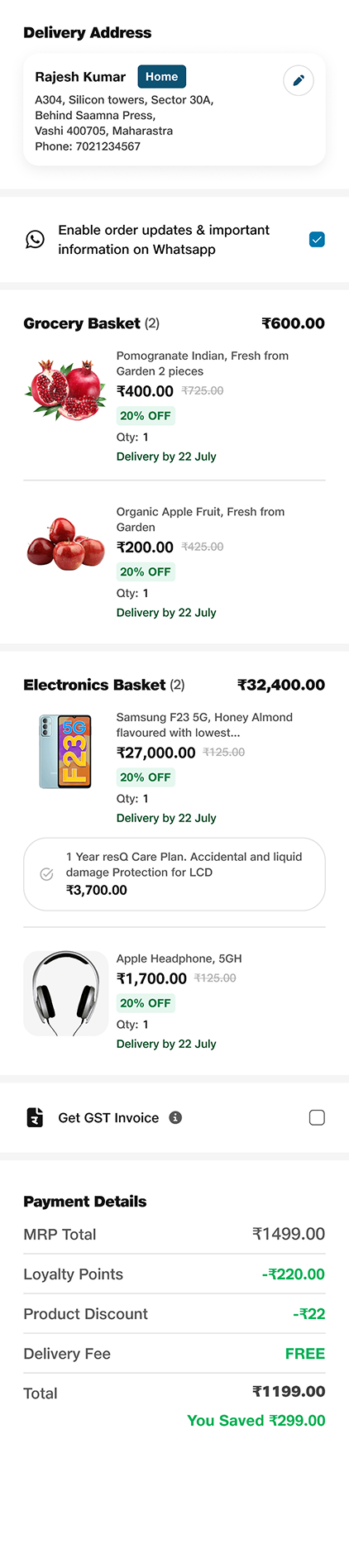
Order review step helps users, especially tier 2 & 3,
double-check their address and cart
before final payment, enhancing clarity for less tech savvy
users.
-
ETAs are visibility
below each product to help users prepare for delivery
timing.
-
Focus on Make Payment CTA
to drive conversion
-
More focus on savings:
The UI emphasizes savings more clearly to enhance the user's
shopping experience.
-
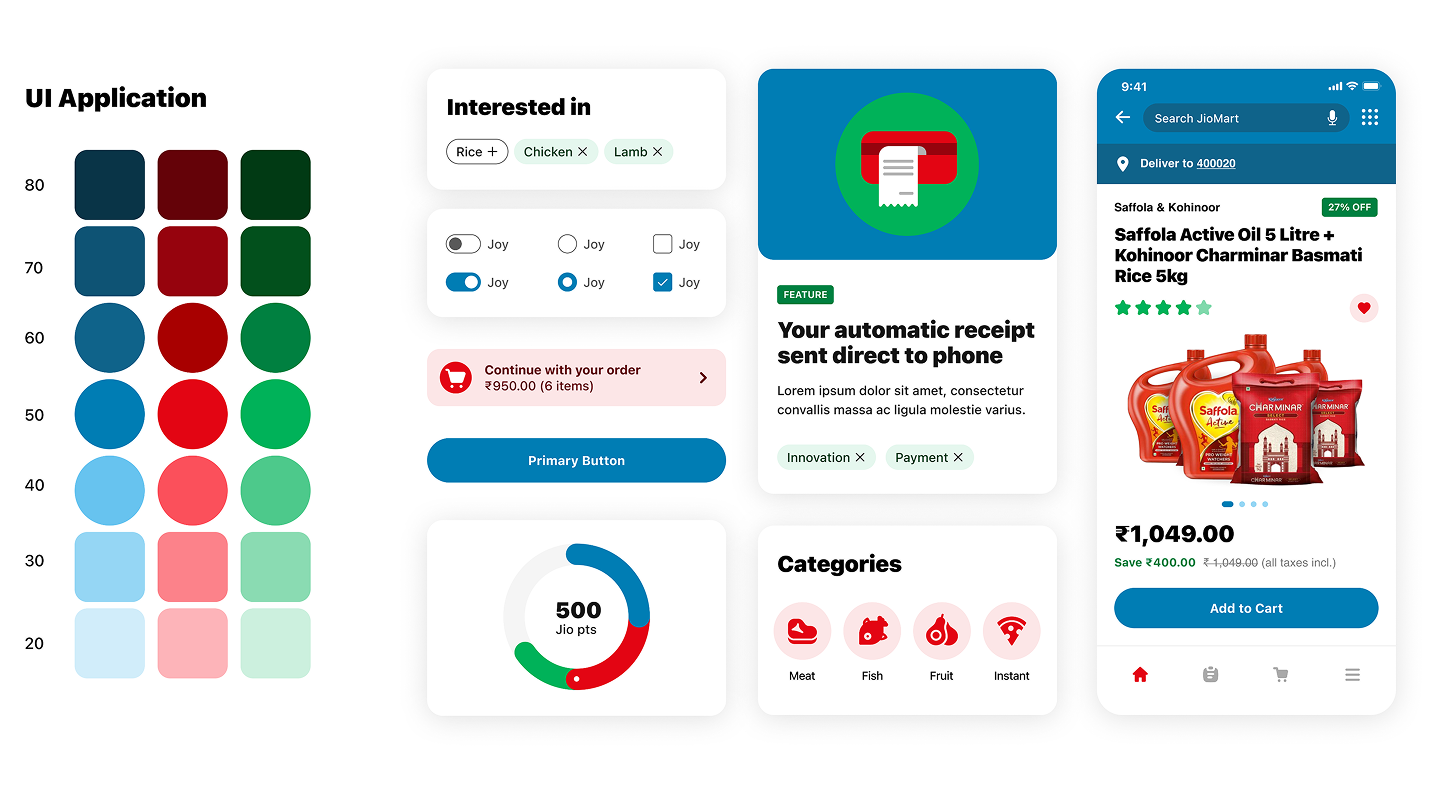
Consistent Colors:
UI colors match Jio’s brand theme for consistency.
-
Delivery promise and seller name are made more prominent in
line with platform IC's


-
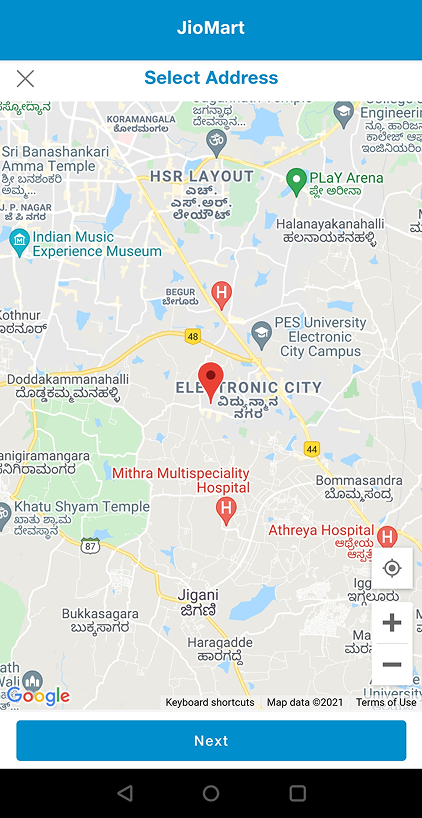
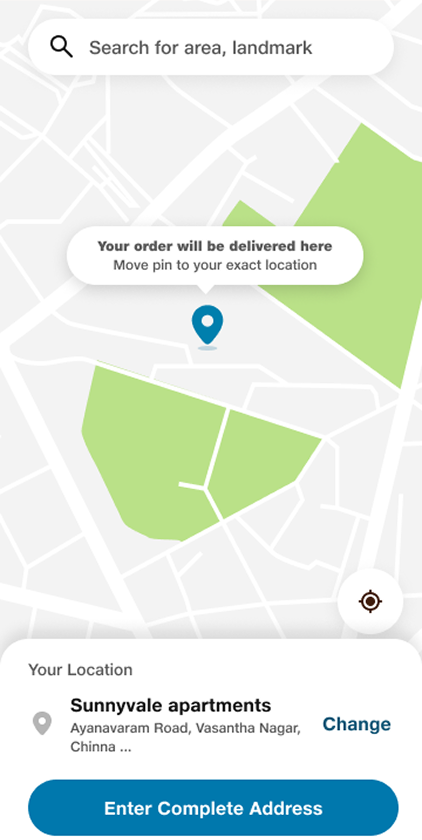
Simpler UI for changing & adding Map-based
address:
UI for adding or changing addresses with map-based support
has been simplified for better user interaction.
-
Removed grey patches that make the UI antiquated:
The outdated grey patches in the UI have been removed,
giving the interface a more modern look.
-
Improved address form to display all the key fields in the
first viewport making it more user-friendly.
-
Drag-to-Select Location: Users can drag or pin the location,
and the address is auto-filled. A CTA is provided below to
complete the process.
-
Introduced clear callout of Savings on the order placed:
Savings are now clearly highlighted on the order
confirmation page.
-
Introduced the
ordered item images
with a quick navigation to
My Orders
-
Introduced
primary CTA as Continue shopping
so that customers can be directly looped back + encouraging
further browsing.
-
Status-based bg colors
to give feedback on successful or pending confirmation
orders.
-
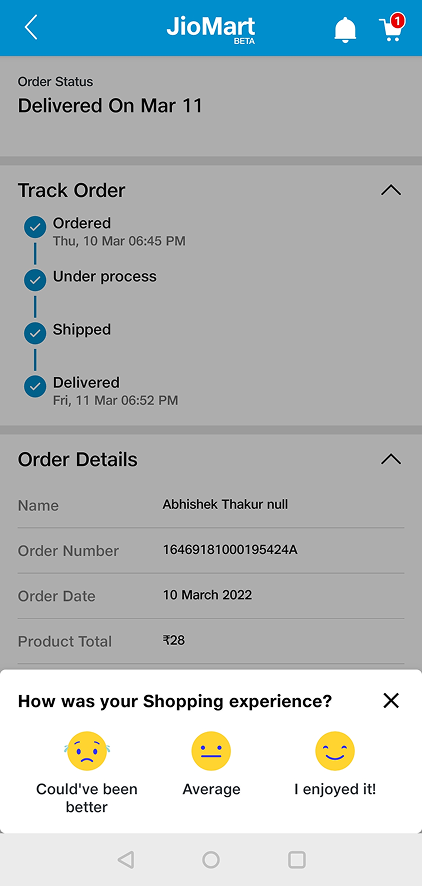
Rate Your Experience:
A feedback option is introduced to collect genuine user
feedback and improve the experience.
-
Introduced space for
marketing banners,
leveraging psychological principles to leave a lasting
impression as users complete the task.

-
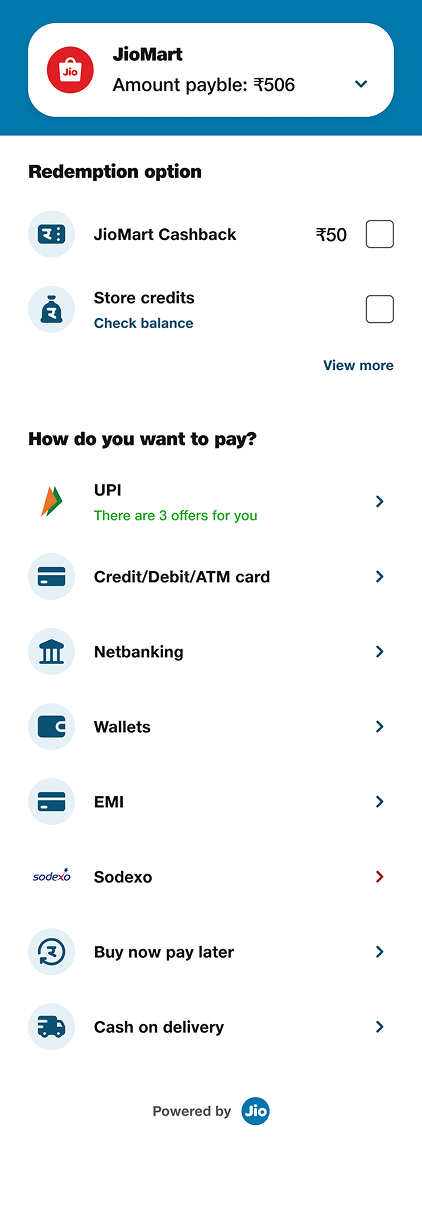
Reduce Scroll Length:
The payment page is too long, requiring excessive scrolling.
Collapsing primary and secondary info.
-
Make Payable Amount & breakdown Always Visible
ensuring users don’t have to scroll to the bottom to review
the total.
-
Cleaner, Consistent UI: Address
inconsistencies in spacing, icon sizes, and font styles
across the page to reduce visual noise and improve
clarity.
-
All previously used payment methods and redemption options
are displayed upfront, all UPI, Wallets and banks payments -
making them more organized and convenient for the user.

-
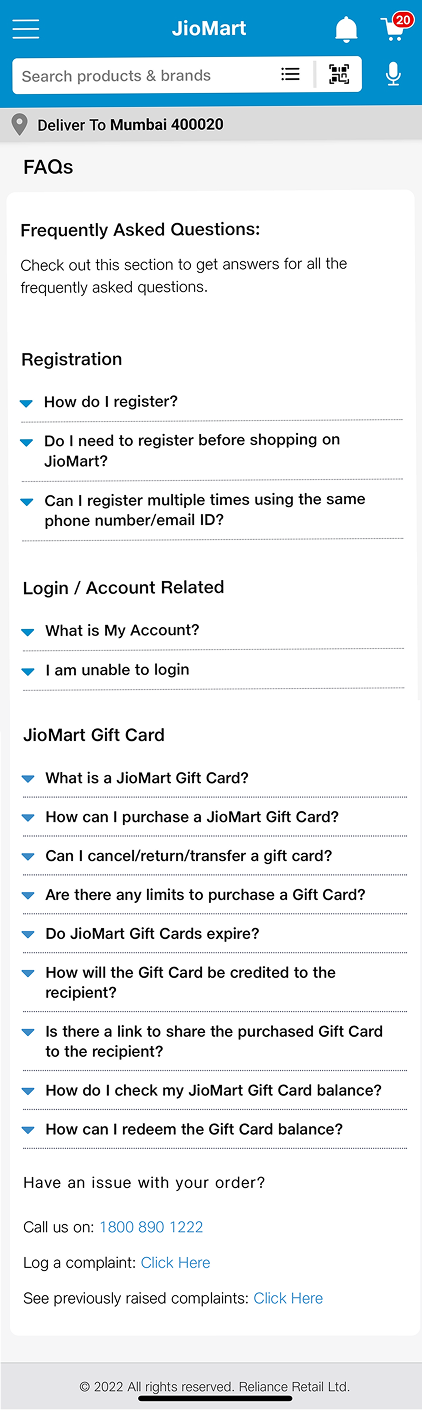
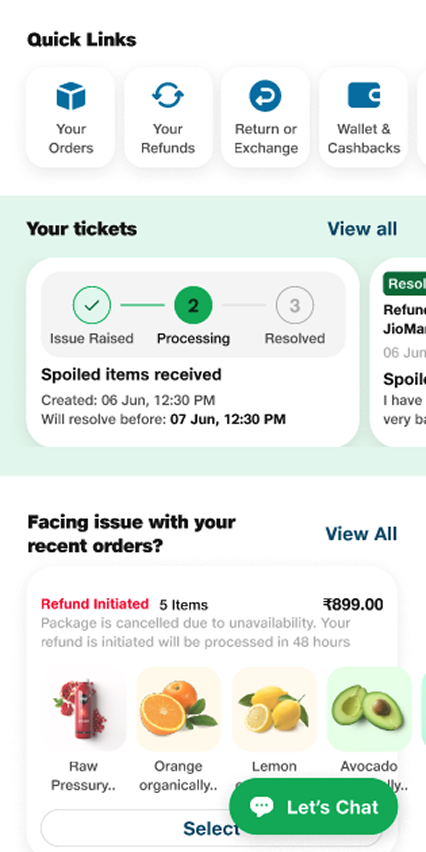
Dedicated Help Hub: Replace generic FAQ
with a centralized, action-oriented Need Help page.
-
Quick Access Links: Prioritize top issues
using quick links, icons, and popular searches.
-
Declutter UI: Reduce info overload with
short answers, collapsible sections, and visual cues.
-
Visible Contact Options: Placed chat, call,
and email CTAs upfront with clear, clickable buttons.
-
Smarter Assistance: Added a guided chatbot
and contextual CTAs to resolve queries faster.
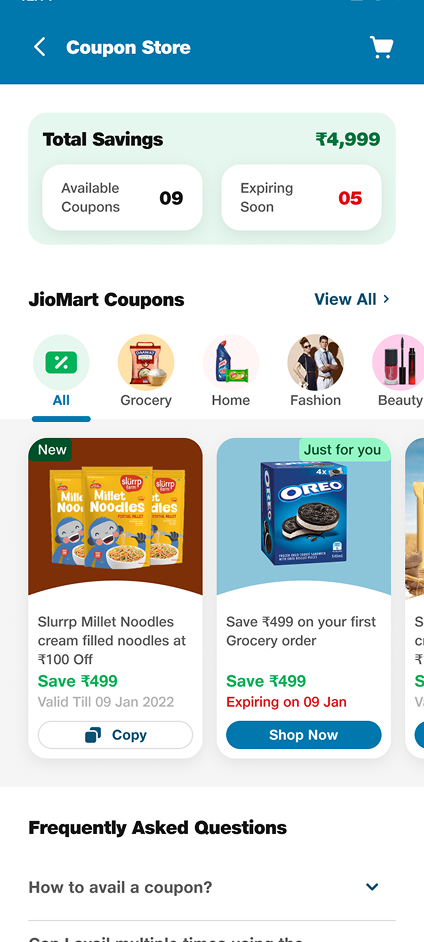
To reduce friction and make offers more discoverable, we designed a separate Coupon & Offer Zone - a centralized space where users can:
- Browse all active coupons in one place,
- Shop by category-specific offers (e.g., Grocery, Fashion, Electronics, BXGY, X% off...)
- Filter and apply deals directly without waiting until checkout
- View personalized suggestions based on their cart or past behavior
This shift empowers users to explore savings earlier in their journey, driving higher engagement and better conversion.
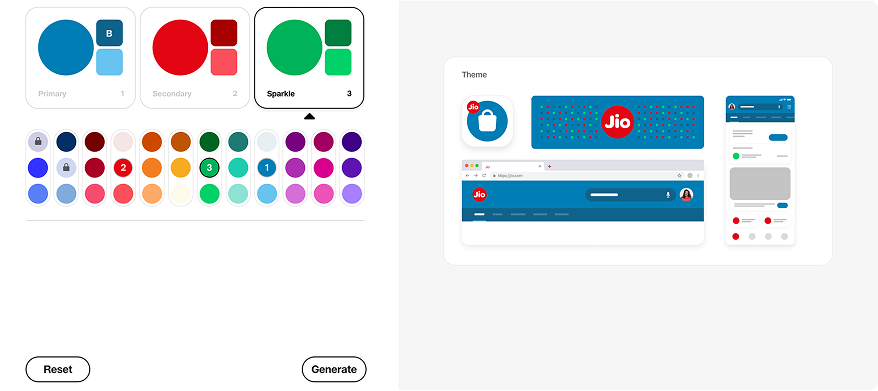
Create your theme: Select a color from the options below for any vertical JioMart, Myjio, JioHotsar, JioCinema, JioPay etc
Sementics Colors → That give our users clear feedback, Greyscale → Colors for bgs, text & descriptive elements.
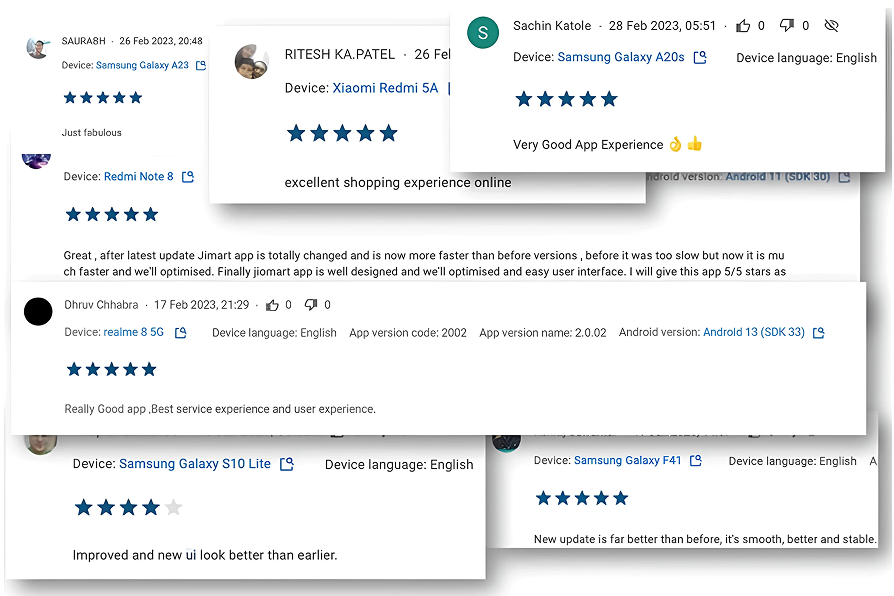
- Increased Basket Size: With personalized upselling and a clearer product presentation, users added more items to their cart.
- Higher Conversion Rate: The smoother, more intuitive checkout process resulted in fewer abandoned carts.
- Improved Customer Satisfaction: Feedback from Bhavna and Umang, along with other users, showed that the redesigned checkout was both efficient and emotionally engaging.


This project was a perfect example of how understanding user behavior, both in the digital and physical realms, can lead to meaningful design solutions. By following the Design Thinking process - from empathizing with users to prototyping a solution that fits their needs - we created a checkout experience that not only solved user frustrations but also aligned with business goals.
The journey of redesigning JioMart’s checkout process continues, but this case study illustrates the power of empathy, research, and innovative design in transforming an everyday task into an experience users love.